Electrical Energy Calculator
Calculate electricity use from power and duration, or constant DC voltage and current. Compare energy use over different operating times in watt-hours, kilowatt-hours and joules.
Open tool
Interactive calculation is unavailable until JavaScript loads. The formulas, worked examples and references below remain available.
Calculate the data rate of a sampled stream, the memory a recording needs, or how long a memory lasts, in decimal and binary units.
Choose Memory for a duration or Duration for a memory size.
Enter the sample size in bits or bytes, the number of channels and the sampling rate per channel.
Enter the recording duration, or the memory size with its unit.
Read the memory needed or the recording time, the data rate, and the decimal and binary equivalents in the table.
Copy result copies labelled values; Reset restores the starting fields.
A sampled stream produces one sample per channel every sampling period. Its data rate is the sample size times the number of channels times the sampling rate, in bits per second. Dividing by eight gives bytes per second.
Storage is sold in decimal units, where a gigabyte is 10^9 bytes, but many operating systems report sizes in binary units, where a gibibyte is 2^30 bytes. The two differ by 2.4 % at the kilo step and by almost 10 % at the tera step, so a "32 GB" card appears as about 29.8 GiB. Bit rates always use decimal prefixes.
Samples are often stored in larger containers than their resolution: a 12-bit ADC result usually occupies 16 bits, and 24-bit audio often occupies 32. Enter the stored size, not the converter resolution, unless the data is packed.
Limitations: the result counts raw sample data only. File-system blocks and metadata, packet headers, timestamps, compression and the card's own reserved space change the real figure, and continuous writing also depends on the card's sustained write speed. The tool does not model any of these.
Data rate: R = b × C × f. b is the sample size in bits, C the number of channels and f the sampling rate per channel; R is in bit/s.
Memory: Memory (bytes) = R × T / 8. T is the duration in seconds.
Duration: T = floor(8 × M / (b × C)) / f. M is the memory in bytes; only whole sample frames count.
Units: 1 kB = 1000 B, 1 MB = 10^6 B, 1 GB = 10^9 B; 1 KiB = 1024 B, 1 MiB = 2^20 B, 1 GiB = 2^30 B.
Bits and bytes: 1 byte = 8 bits, so 1 Mbit/s = 125 kB/s.
16-bit, 2 channels, 48 kHz, 1 hour: 1.536 Mbit/s; 691.2 MB (659.18 MiB). 16 × 2 × 48,000 = 1,536,000 bit/s = 192,000 B/s; × 3600 s = 691,200,000 B.
Same stream on a 32 GB card: 1 d 22 h 17 min 46.67 s. 32 × 10^9 B × 8 / 32 bits = 8 × 10^9 frames; / 48,000 Hz = 166,666.67 s.
Same stream, memory entered as 32 GiB: 2 d 1 h 42 min 36.97 s. Common mistake: 32 GiB is 34,359,738,368 B, 7.4 % more than a 32 GB card, which the operating system shows as about 29.8 GiB.
12-bit ADC, 1 channel, 1 kHz, 1 day, packed: 12 kbit/s; 129.6 MB (123.596 MiB). Stored in 16-bit words it is 172.8 MB.
1 Mbit/s stream (1 bit, 1 channel, 1 MHz): 125 kB/s (122.07 KiB/s). Bits are not bytes: divide by 8.
Available now
Calculate electricity use from power and duration, or constant DC voltage and current. Compare energy use over different operating times in watt-hours, kilowatt-hours and joules.
Open tool →Available now
Add up to 20 resistors in series using Ω, kΩ or MΩ for circuit analysis and electricity calculations, with a diagram and running total.
Open tool →Available now
Convert absolute temperatures between Celsius, Fahrenheit and kelvin.
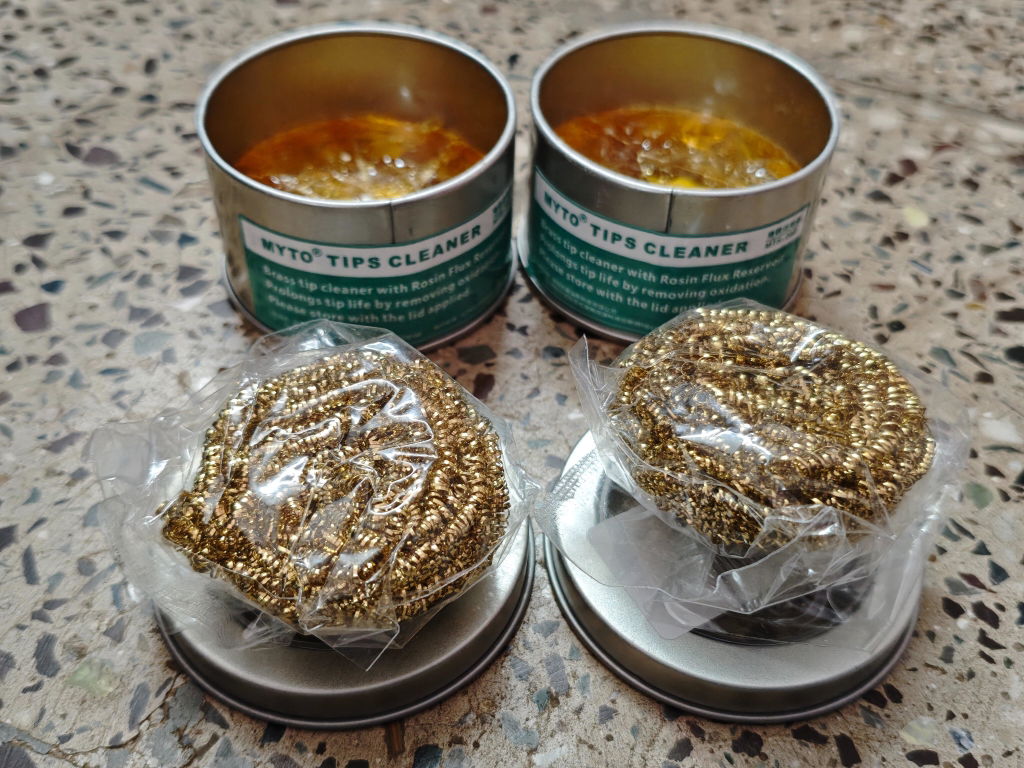
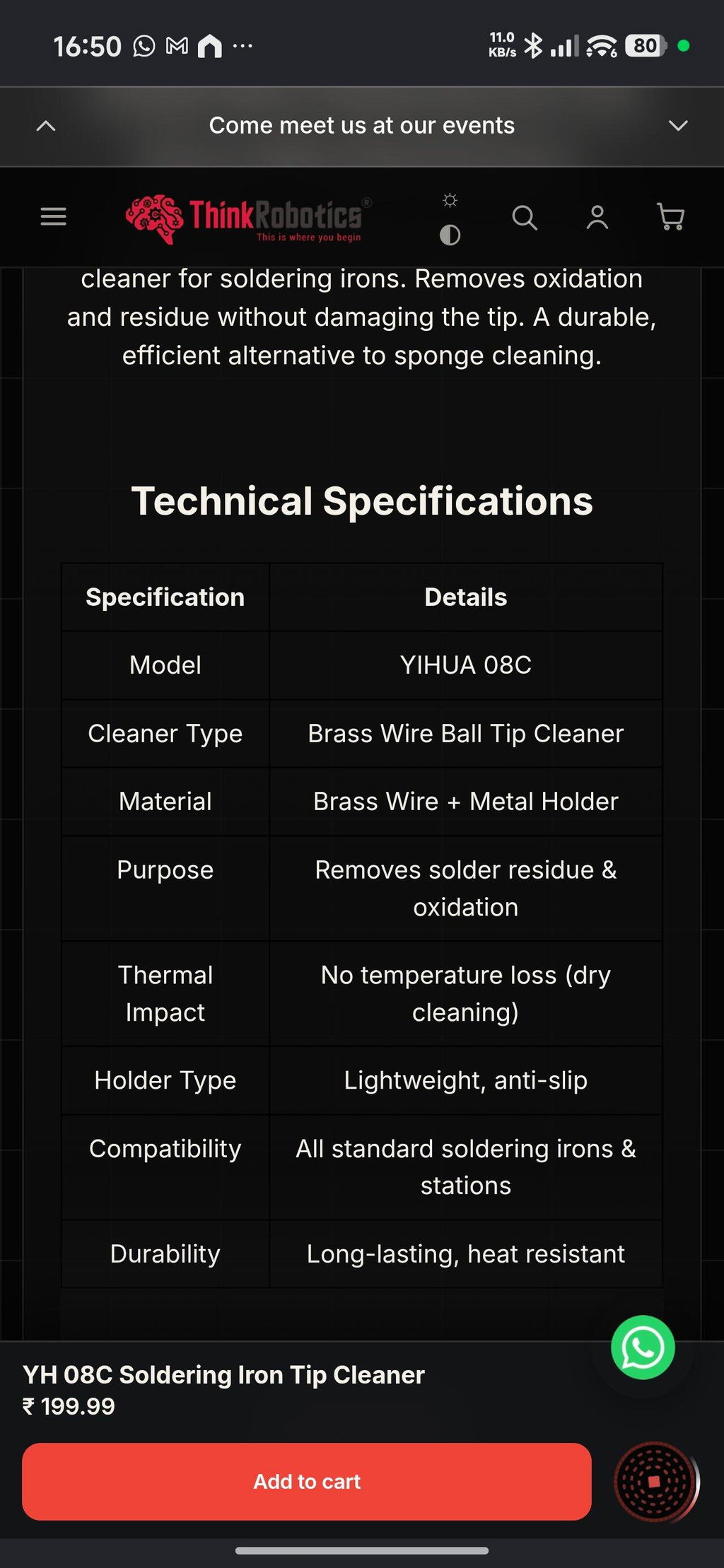
Open tool →Given the fact that this was my first purchase and I made it thinking I was buying genuine Yihua products, this has been a setback. I received a lesser known OEM brand called MYTO and while both the products seem to be similar from appearance, my real contention is the quality and quantity of the brass wool. On top of that not informing the customer about the unavailability of the Yihua product and instead sending a product from a different brand is also antagonising. Henceforth, I might just have to think twice before ordering from ThinkRobotics.
TOF MINIF Range Sensor - UART TOF Time-of-Flight Laser Range Sensor
We are disappointed with our recent order experience. We clearly communicated our requirement for 433 MHz antennas on WhatsApp, but the issue remains unresolved. We have been following up for more than 10 days and are still waiting for a proper refund resolution.
As a regular B2B customer, we expected better support. This experience has affected our trust in ThinkRobotics, and we may have to consider other suppliers for future purchases. We request a fair and prompt refund.
Anodised Aluminium Cup Head Washers (Pack of 10)