Electrical Energy Calculator
Calculate electricity use from power and duration, or constant DC voltage and current. Compare energy use over different operating times in watt-hours, kilowatt-hours and joules.
Open tool
Interactive calculation is unavailable until JavaScript loads. The formulas, worked examples and references below remain available.
Calculate logic-analyzer memory from channels, sample rate and capture time, the capture time a memory allows, or the sample rate a digital signal needs.
Choose Memory for a capture, Capture time for a memory, or Sample rate for a signal.
Enter the number of channels you will record.
Enter the sample rate and the capture time, or the sample rate and the memory, or the highest signal frequency and the sampling multiple.
Read the memory, capture time or minimum sample rate, with samples per channel and the sample interval.
Copy result copies labelled values; Reset restores the starting fields.
A logic analyzer records each digital channel as one bit per sample. A capture of T seconds at f_s samples per second holds f_s × T samples on every channel, so the raw memory is channels × sample rate × time bits.
Analyzers state memory in two ways. Bench instruments quote a depth in points per channel, which fixes the capture time at depth / sample rate whatever the channel count. Buffers in bytes are shared, so more channels mean a shorter capture. Mixing the two is the most common planning error.
The sample interval is the timing resolution: an edge can fall anywhere between two samples. Saleae recommends sampling digital signals at least 4 times their bandwidth, and Keysight suggests 4 to 10 times the clock for timing analysis. Sampling faster than needed only uses more memory on fixed-memory analyzers.
Limitations: the memory is the uncompressed size. Analyzers that run-length encode, such as Saleae's software, store only changes, so quiet signals use far less memory and busy ones approach this figure. Real analyzers offer fixed sample rates, may lower the maximum rate when more channels are enabled, and add headers and trigger buffers that are not modelled. The sampling multiple is a rule of thumb; signal integrity, glitch capture and protocol timing may need more.
Samples: S = f_s × T, rounded up to a whole sample. f_s is the sample rate, T the capture time.
Memory: Bits = N × S; bytes = bits / 8, rounded up. N is the channel count.
Capture time, depth per channel: T = M / f_s. M is the memory depth in points.
Capture time, shared buffer: T = floor(8 × B / N) / f_s. B is the buffer in bytes.
Sample rate: f_s ≥ k × f_sig. f_sig is the highest signal frequency; k = 4 is Saleae's minimum.
Sizes: 1 MB = 10^6 bytes; 1 MiB = 2^20 bytes = 1,048,576 bytes.
8 channels at 100 MS/s for 1 s: 100 MB (95.3674 MiB). 100,000,000 samples × 8 channels = 800,000,000 bits.
16 channels at 500 MS/s, 4 GiB buffer: 4.29497 s. 8 × 2^32 / 16 = 2,147,483,648 samples per channel; divided by 500 MS/s.
64 Mpts per channel at 100 MS/s: 0.64 s. Depth per channel: the channel count does not matter.
64 MB shared buffer, 16 channels at 100 MS/s: 0.32 s. Common mistake: treating a shared 64 MB buffer as 64 Mpts per channel gives 0.64 s, twice the real capture.
SPI clock 1 MHz, multiple 4: 4 MS/s. Saleae's example: at least 4 MS/s for 1 MHz SPI.
3 channels at 1 MS/s for 1.5 μs: 2 samples per channel; 6 bits; 1 byte. Boundary: 1.5 samples rounds up to 2.
Saleae: What sampling rate should I use?
Saleae: Device settings configuration tips
Saleae: What is the maximum bandwidth of Logic?
Available now
Calculate electricity use from power and duration, or constant DC voltage and current. Compare energy use over different operating times in watt-hours, kilowatt-hours and joules.
Open tool →Available now
Add up to 20 resistors in series using Ω, kΩ or MΩ for circuit analysis and electricity calculations, with a diagram and running total.
Open tool →Available now
Convert absolute temperatures between Celsius, Fahrenheit and kelvin.
Open tool →Nice audio board working as expected.
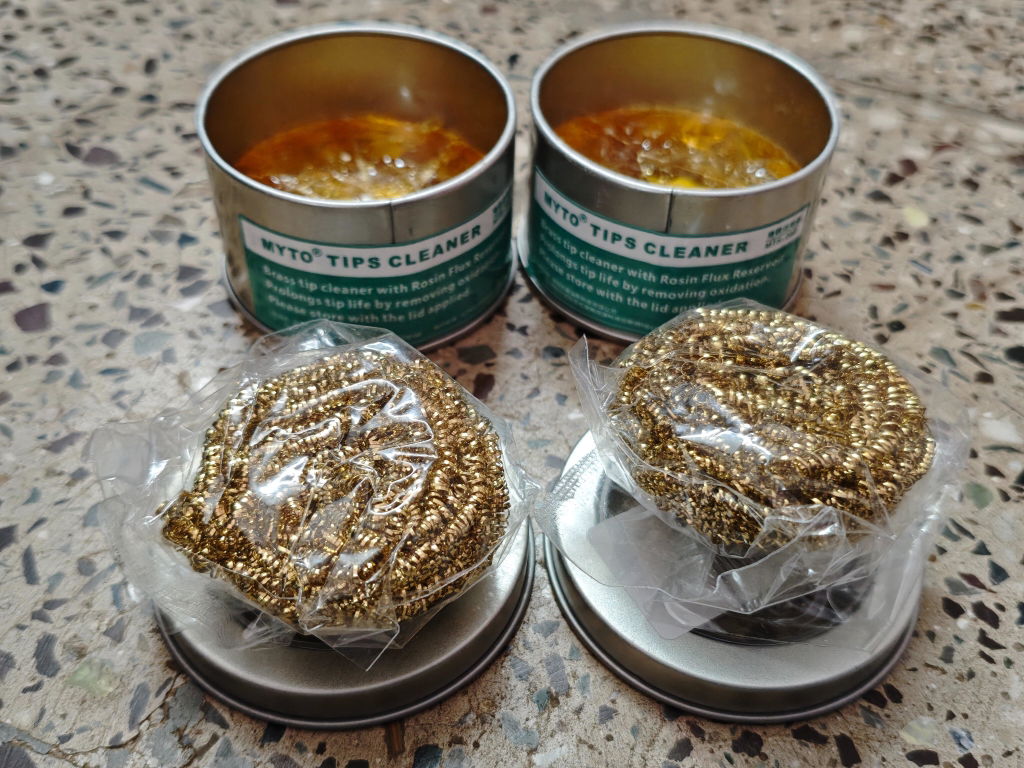
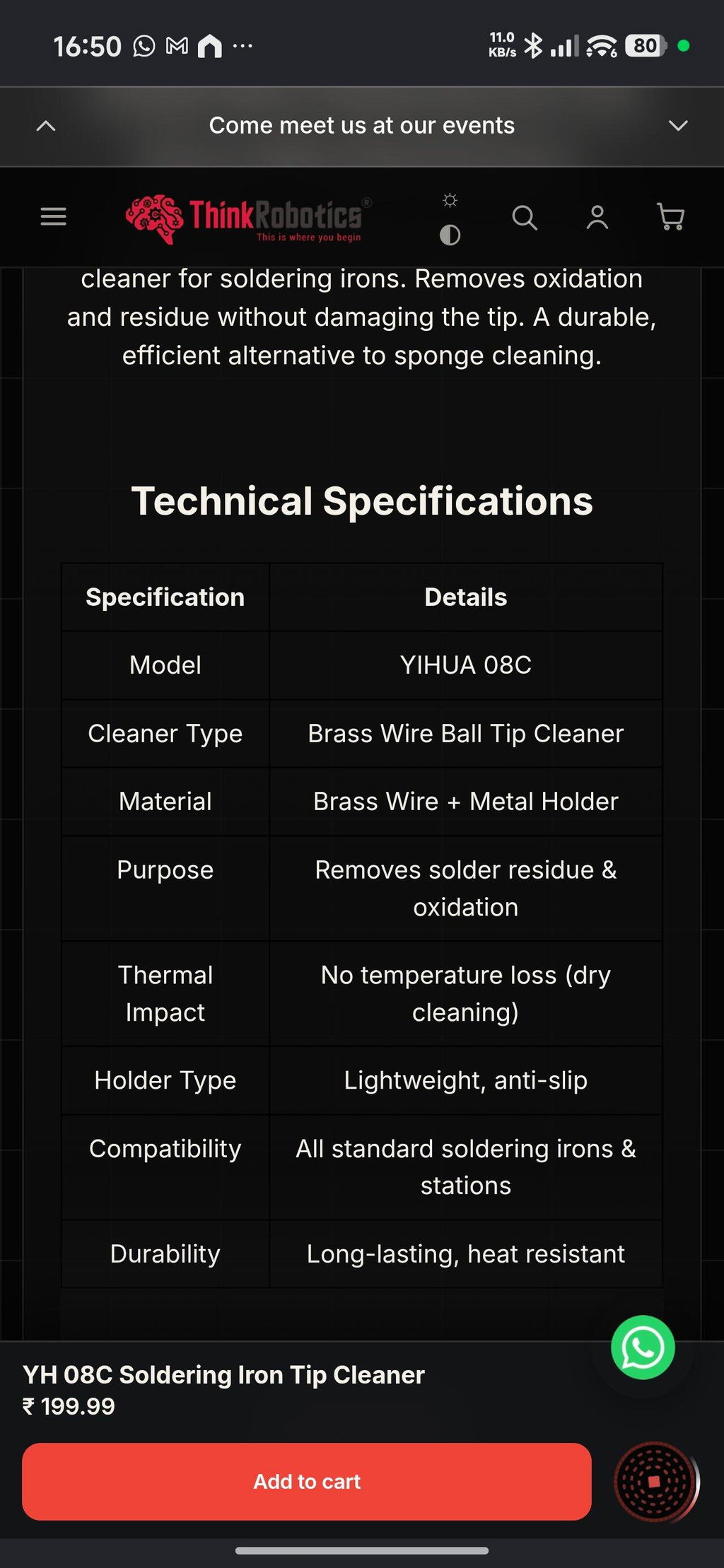
Given the fact that this was my first purchase and I made it thinking I was buying genuine Yihua products, this has been a setback. I received a lesser known OEM brand called MYTO and while both the products seem to be similar from appearance, my real contention is the quality and quantity of the brass wool. On top of that not informing the customer about the unavailability of the Yihua product and instead sending a product from a different brand is also antagonising. Henceforth, I might just have to think twice before ordering from ThinkRobotics.
TOF MINIF Range Sensor - UART TOF Time-of-Flight Laser Range Sensor
We are disappointed with our recent order experience. We clearly communicated our requirement for 433 MHz antennas on WhatsApp, but the issue remains unresolved. We have been following up for more than 10 days and are still waiting for a proper refund resolution.
As a regular B2B customer, we expected better support. This experience has affected our trust in ThinkRobotics, and we may have to consider other suppliers for future purchases. We request a fair and prompt refund.
Anodised Aluminium Cup Head Washers (Pack of 10)