Best seller

Waveshare

Serial Bus Servo Driver

SKU: WVSH0166

₹ 499.99 ₹ 599.99

In stock | Ready to ship

Only a few left in stock. Order soon.
High demand right now.
📦 Min order 1
Chat with us on WhatsApp We reply quickly! Contact Us
Serial Bus Servo Driver₹ 499.99
Ask AI about this product

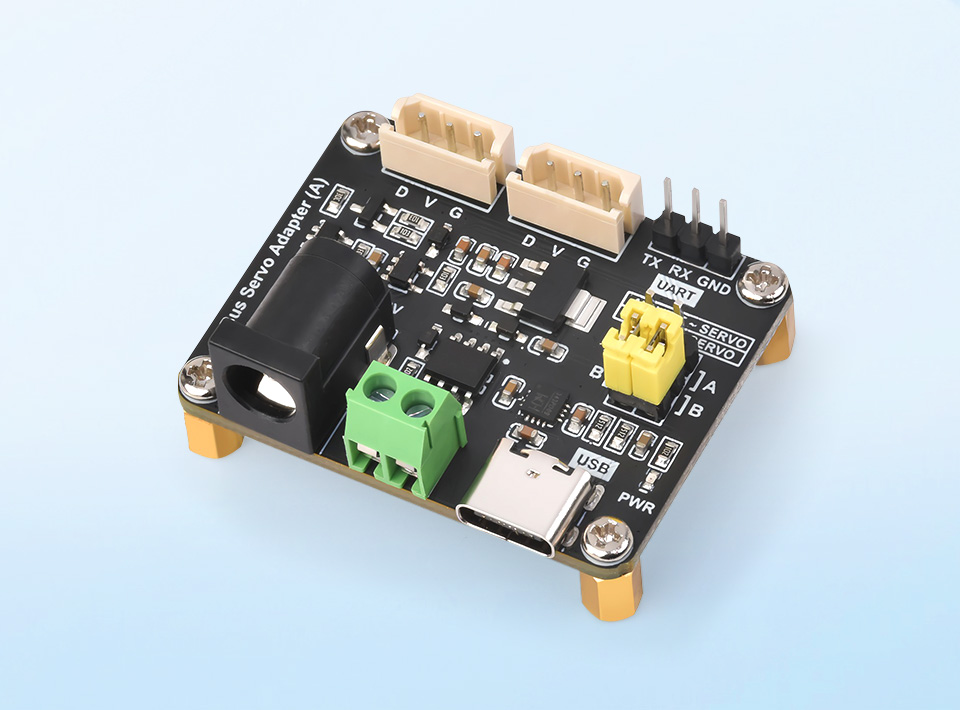
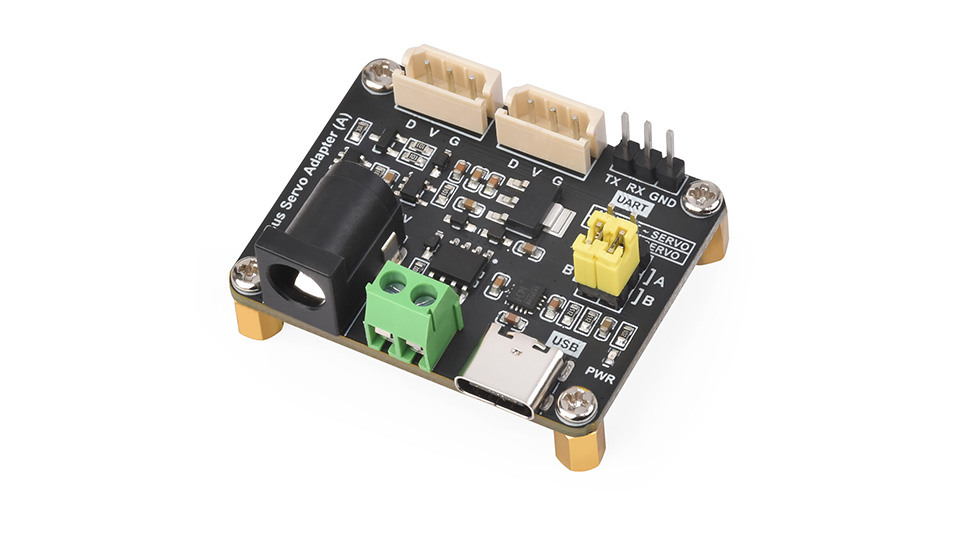
Serial Bus Servo Drive Board

Designed For Serial Bus Servo, Integrates Servo Power Supply And Control Circuit


Features

  • Supports connecting to a host or MCU to control the serial bus servos
  • Allows controlling up to 253 ST/SC series serial bus servos at the same time (sufficient power supply required)
  • 9~12.6V voltage input (the input voltage and the servo voltage must be matched)
  • Provides convenient serial bus servo control solutions
  • Integrates control circuit to ensure the stable operation of serial bus servo
  • Compact size and space saving, suitable for integration into sorts of space-limited projects


Specifications

POWER SUPPLY DC 9~12.6V (ST series servo)
POWER SUPPLY CONNECTOR 5.5 × 2.1mm DC
COMMUNICATION INTERFACE UART
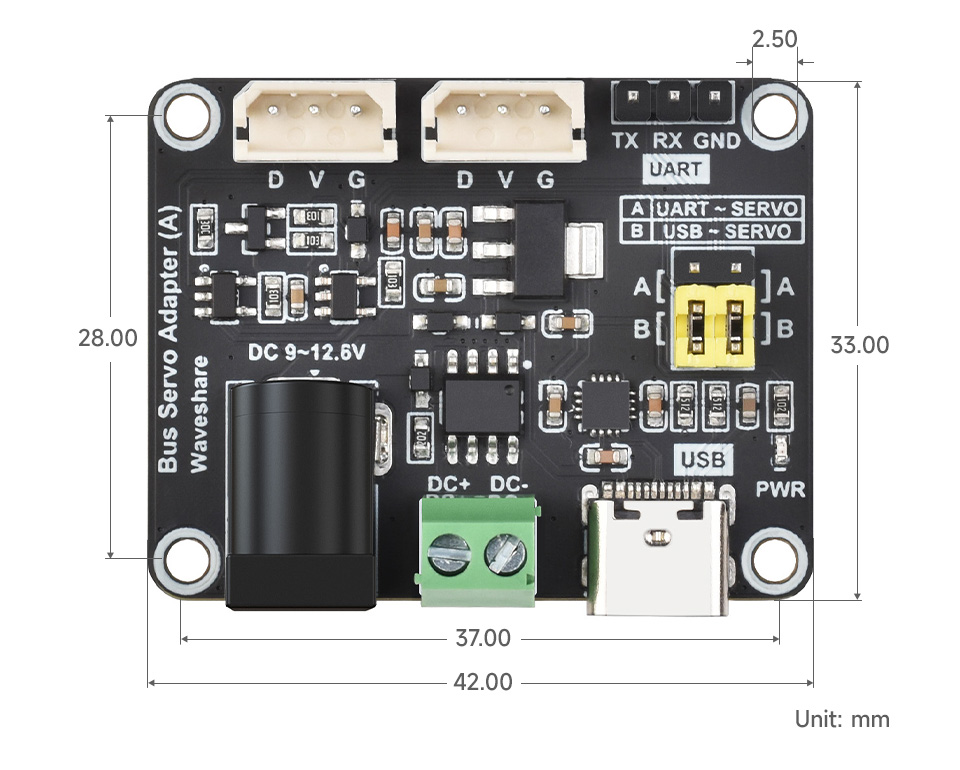
DIMENSIONS 42.00 × 33.00mm
MOUNTING HOLE SIZE 2.50mm
MOUNTING HOLE SPACING 37.00 × 28.00mm


Application Examples

  • Servos will provide various feedback like position, speed, torque lock, and operating mode (servo mode, servo motor mode, etc.) for advanced projects requiring closed-loop automatic control
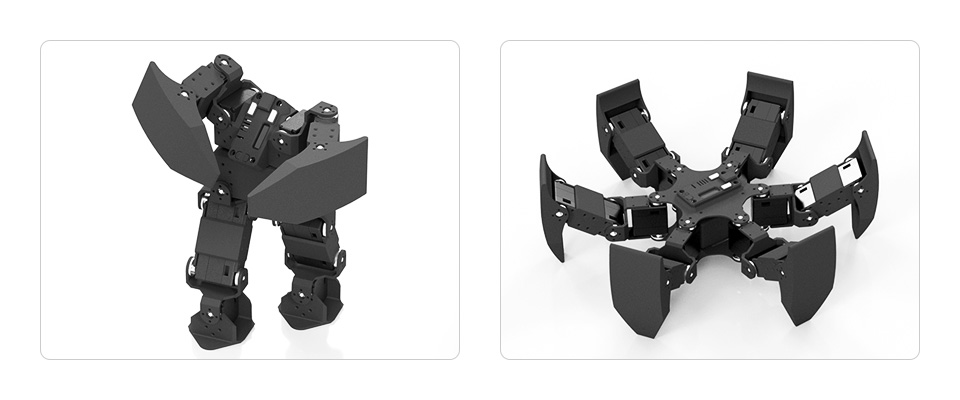
  • Ideal choice for building quadruped robots, hexapod walkers, robotic arms and other robotic projects requiring multiple servos
  • Compact size, suitable for integration into sorts of space-limited projects

* images here are for reference ONLY


Note: It is NOT recommended to use ST series and SC series servos together. When using different models of the same series, pay attention to whether the power input can meet the requirements of all the servos at the same time.


UART Serial Bus Control


Allows Controlling Up To 253 SC/ST Series Serial Bus Servos At The Same Time, Supports Receiving The Operating Status And Various Information Feedback Of Each Servo


Note: though one channel UART can control up to 253 bus servos, due to the high power of the servos, it is necessary to consider whether the power supply solution is enough when using too many servos.


Two Power Supply Methods

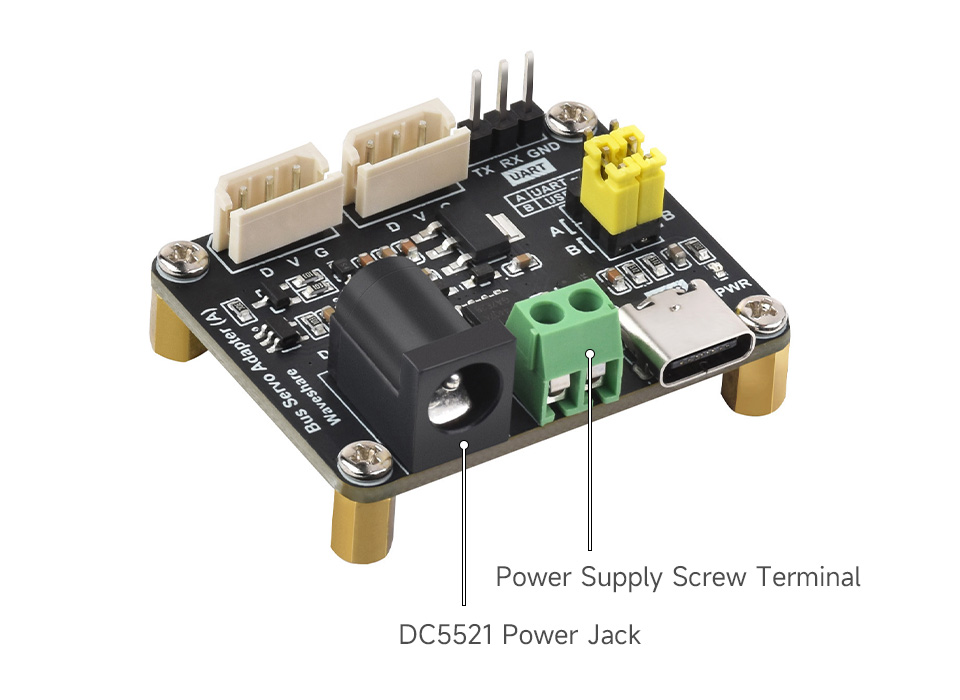
Onboard DC5521 Power Jack And Screw Terminal For Easy Integration Into Existing Projects


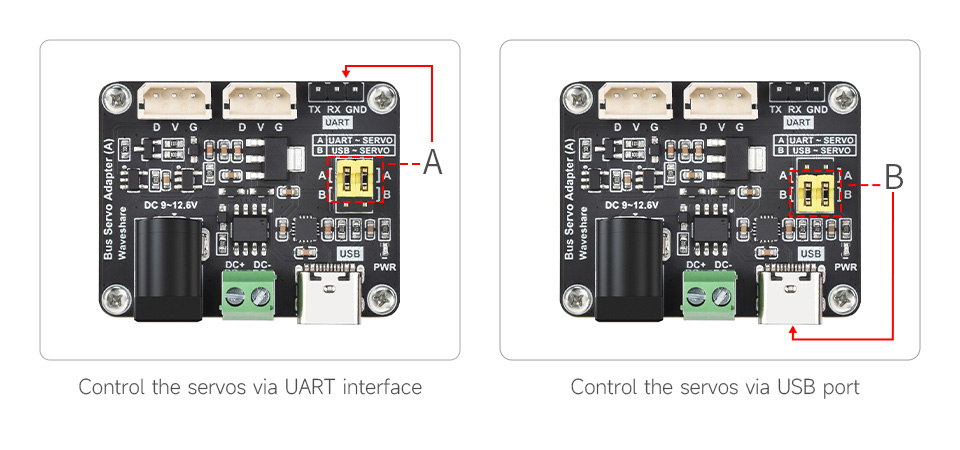
Supports UART And USB Control

Switching The Control Mode By Selecting A Or B Via The Jumper


Easy To Use With USB Control

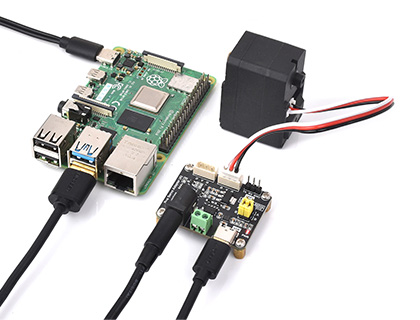
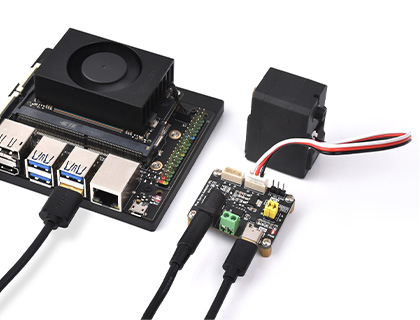
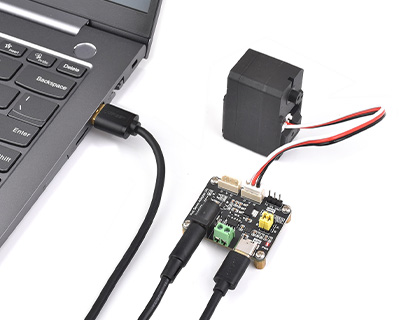
Connect The Driver Board To The Host Via A USB Cable To Easily Control The Serial Bus Servo And Receive Data Feedback, Speeding Up The Project Prototyping Process

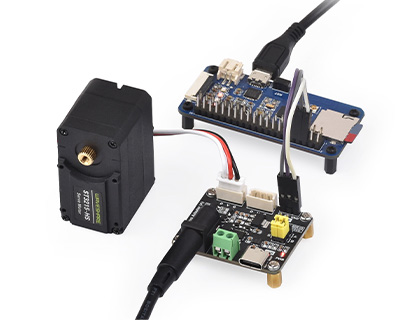
Connect to Raspberry Pi 4B

Connect to Jetson Orin Nano

Connect to PC


Suitable For More Applications Via UART

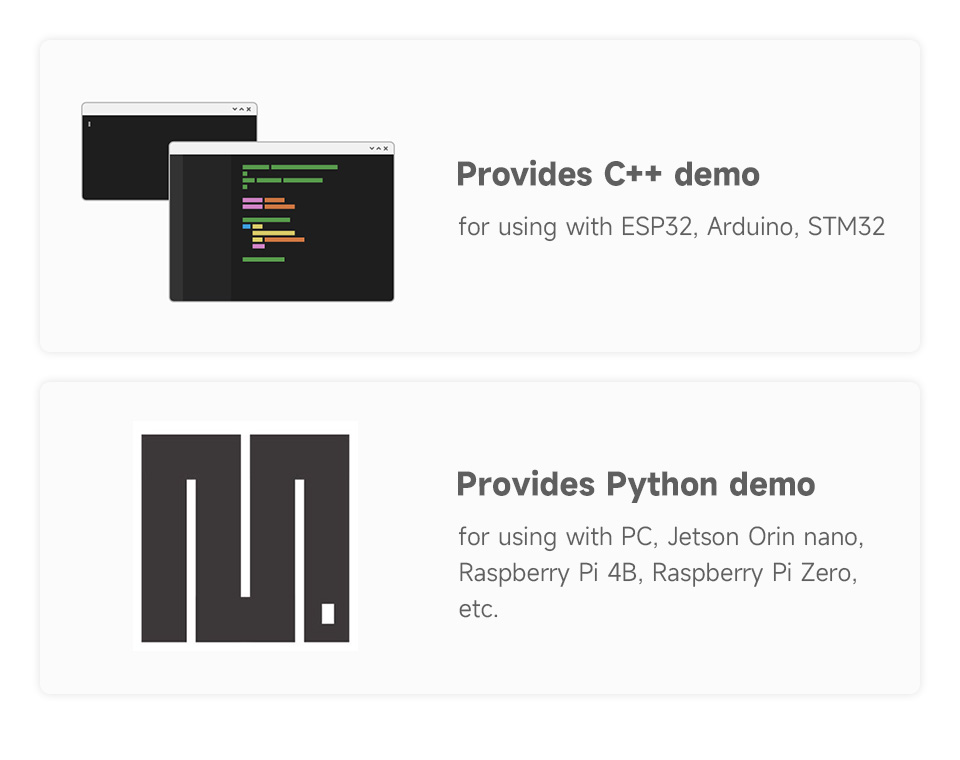
Supports Directly Controlling The Serial Bus Servo Via UART Communication, And Provides SDK Which Is Compatible With Various Hardware Platforms, Please Refer To The Product's Wiki For More Details

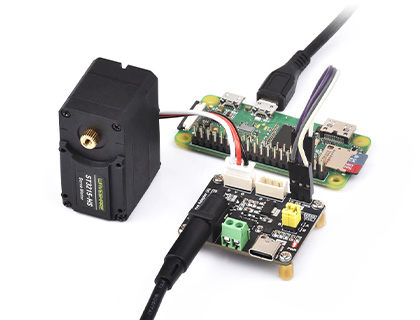
Connect to Raspberry Pi Zero

Connect to ESP32 development board

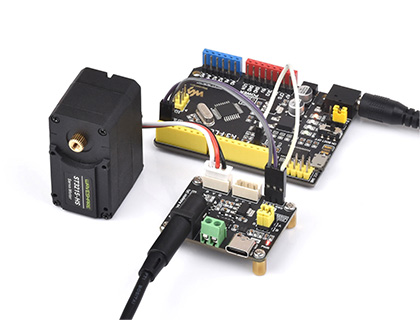
Connect to Arduino board

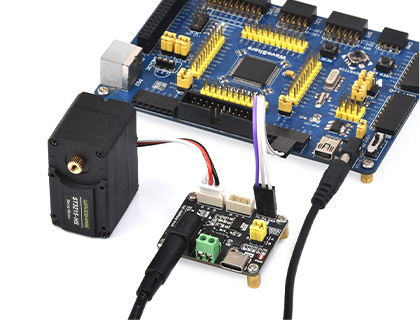
Connect to STM32 development board

for reference only, the servos, control boards and hosts above are NOT included.


Comes With Development Resources And Manual


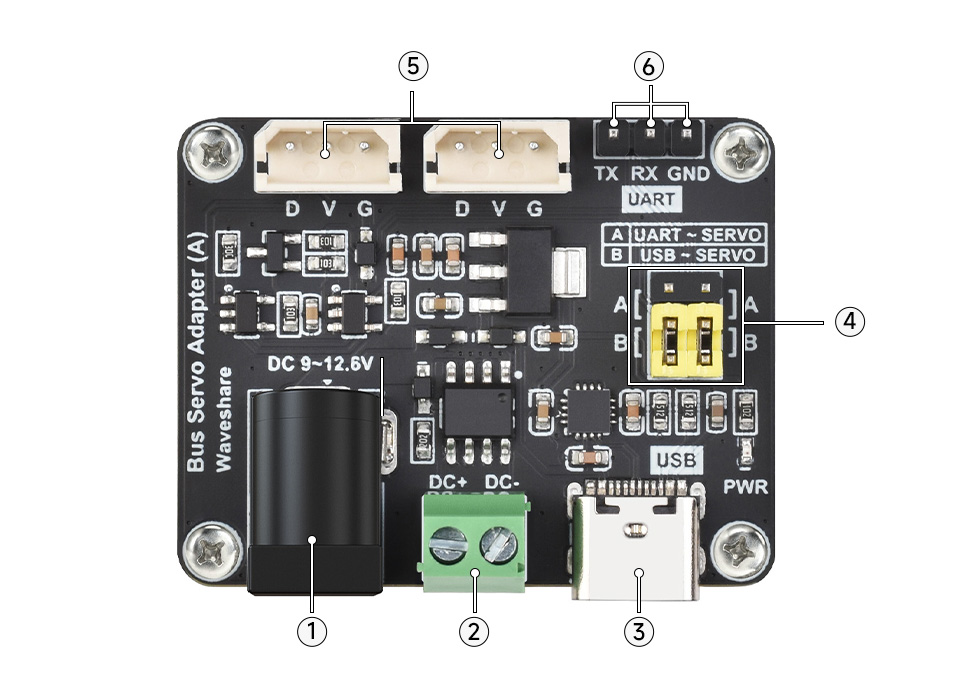
What's On Board

  1. 5.5*2.1 DC power jack
  2. Power supply screw terminal
  3. USB Type-C connector
  4. Control mode switch jumper
  5. Serial bus servo control interface
  6. UART communication interface


Dimensions


Resources

Wiki: www.waveshare.com/wiki/Bus_Servo_Adapter_(A)


Package Contains:

Weight: 0.016 kg

Bus Servo Adapter (A) x1

How many servos can be controlled at once and what should I consider about power
The UART interface can control up to 253 SC/ST series servos at the same time, but the available power supply must be able to handle the load. Running many servos may require a higher power supply.
What power inputs does the board use and how do I connect power
The board supports DC 9 to 12.6 V for ST series servos. It offers two power input options: a 5.5 x 2.1 mm DC power jack and a screw terminal, and the servo voltage must match the input.
What interfaces are available and how do I switch control modes
You can control via UART or USB, and there is a control mode switch jumper to select mode A or B. The device provides a UART connection for bus servo control and a USB interface for easy host connection.
What host platforms can I connect to and what resources are provided
The board can connect to Raspberry Pi 4B, Raspberry Pi Zero, ESP32, Arduino, STM32, Jetson Orin Nano, and a PC via USB or UART. It also provides an SDK and a wiki with further details.
Are there any servo compatibility cautions I should be aware of
Yes, it is not recommended to mix ST series and SC series servos, and when using different models of the same series please ensure the power input can meet the requirements of all servos at the same time.
Welcome to the discussion thread for Serial Bus Servo Driver
Feel free to ask questions, share tips or report issues.

Fill out the form below and our team will get back to you with bulk pricing.

Description
Ask AI about this product

Serial Bus Servo Drive Board

Designed For Serial Bus Servo, Integrates Servo Power Supply And Control Circuit


Features

  • Supports connecting to a host or MCU to control the serial bus servos
  • Allows controlling up to 253 ST/SC series serial bus servos at the same time (sufficient power supply required)
  • 9~12.6V voltage input (the input voltage and the servo voltage must be matched)
  • Provides convenient serial bus servo control solutions
  • Integrates control circuit to ensure the stable operation of serial bus servo
  • Compact size and space saving, suitable for integration into sorts of space-limited projects


Specifications

POWER SUPPLY DC 9~12.6V (ST series servo)
POWER SUPPLY CONNECTOR 5.5 × 2.1mm DC
COMMUNICATION INTERFACE UART
DIMENSIONS 42.00 × 33.00mm
MOUNTING HOLE SIZE 2.50mm
MOUNTING HOLE SPACING 37.00 × 28.00mm


Application Examples

  • Servos will provide various feedback like position, speed, torque lock, and operating mode (servo mode, servo motor mode, etc.) for advanced projects requiring closed-loop automatic control
  • Ideal choice for building quadruped robots, hexapod walkers, robotic arms and other robotic projects requiring multiple servos
  • Compact size, suitable for integration into sorts of space-limited projects

* images here are for reference ONLY


Note: It is NOT recommended to use ST series and SC series servos together. When using different models of the same series, pay attention to whether the power input can meet the requirements of all the servos at the same time.


UART Serial Bus Control

Allows Controlling Up To 253 SC/ST Series Serial Bus Servos At The Same Time, Supports Receiving The Operating Status And Various Information Feedback Of Each Servo


Note: though one channel UART can control up to 253 bus servos, due to the high power of the servos, it is necessary to consider whether the power supply solution is enough when using too many servos.


Two Power Supply Methods

Onboard DC5521 Power Jack And Screw Terminal For Easy Integration Into Existing Projects


Supports UART And USB Control

Switching The Control Mode By Selecting A Or B Via The Jumper


Easy To Use With USB Control

Connect The Driver Board To The Host Via A USB Cable To Easily Control The Serial Bus Servo And Receive Data Feedback, Speeding Up The Project Prototyping Process

Connect to Raspberry Pi 4B

Connect to Jetson Orin Nano

Connect to PC


Suitable For More Applications Via UART

Supports Directly Controlling The Serial Bus Servo Via UART Communication, And Provides SDK Which Is Compatible With Various Hardware Platforms, Please Refer To The Product's Wiki For More Details

Connect to Raspberry Pi Zero

Connect to ESP32 development board

Connect to Arduino board

Connect to STM32 development board

for reference only, the servos, control boards and hosts above are NOT included.


Comes With Development Resources And Manual


What's On Board

  1. 5.5*2.1 DC power jack
  2. Power supply screw terminal
  3. USB Type-C connector
  4. Control mode switch jumper
  5. Serial bus servo control interface
  6. UART communication interface


Dimensions


Resources

Wiki: www.waveshare.com/wiki/Bus_Servo_Adapter_(A)


Package Contains:

Weight: 0.016 kg

Bus Servo Adapter (A) x1

FAQ
How many servos can be controlled at once and what should I consider about power
The UART interface can control up to 253 SC/ST series servos at the same time, but the available power supply must be able to handle the load. Running many servos may require a higher power supply.
What power inputs does the board use and how do I connect power
The board supports DC 9 to 12.6 V for ST series servos. It offers two power input options: a 5.5 x 2.1 mm DC power jack and a screw terminal, and the servo voltage must match the input.
What interfaces are available and how do I switch control modes
You can control via UART or USB, and there is a control mode switch jumper to select mode A or B. The device provides a UART connection for bus servo control and a USB interface for easy host connection.
What host platforms can I connect to and what resources are provided
The board can connect to Raspberry Pi 4B, Raspberry Pi Zero, ESP32, Arduino, STM32, Jetson Orin Nano, and a PC via USB or UART. It also provides an SDK and a wiki with further details.
Are there any servo compatibility cautions I should be aware of
Yes, it is not recommended to mix ST series and SC series servos, and when using different models of the same series please ensure the power input can meet the requirements of all servos at the same time.
Reviews
Forum
Welcome to the discussion thread for Serial Bus Servo Driver
Feel free to ask questions, share tips or report issues.
Similar Products
Bulk Order

Fill out the form below and our team will get back to you with bulk pricing.

Custom Requirements?

Meet with our team