Best seller

Waveshare

PCIe To M.2 Adapter for Raspberry Pi 5

SKU: WVSH0454

₹ 849.99

In stock | Ready to ship

Only a few left in stock. Order soon.
High demand right now.
📦 Min order 1
Chat with us on WhatsApp We reply quickly! Contact Us
PCIe To M.2 Adapter for Raspberry Pi 5₹ 849.99
Ask AI about this product

PCIe To M.2 Adapter For Raspberry Pi 5

Designed for Raspberry Pi 5

Adapter For NVMe Protocol M.2 Solid State Drive, High-Speed Reading/Writing


Connecting To PI5 Via 16PIN Cable

 Based On 16PIN PCIe Interface Of Raspberry Pi 5 

* for reference only, please refer to the Package Content for detailed part list


NVMe Drive Protocol Support

Compatible With 2230/2242 Size M.2 Solid State Drive
Supports Gen2 And Gen3 Modes, Supports Booting PI5 From Solid State Drive


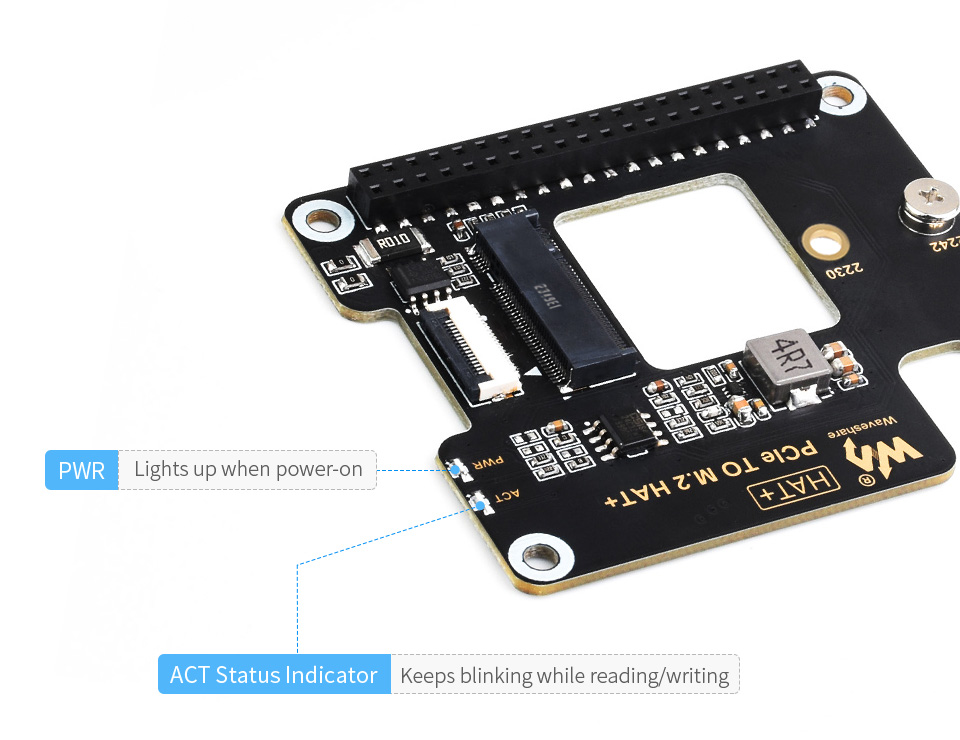
Onboard Dual LED Indicators

Easy To Monitor The Working Status


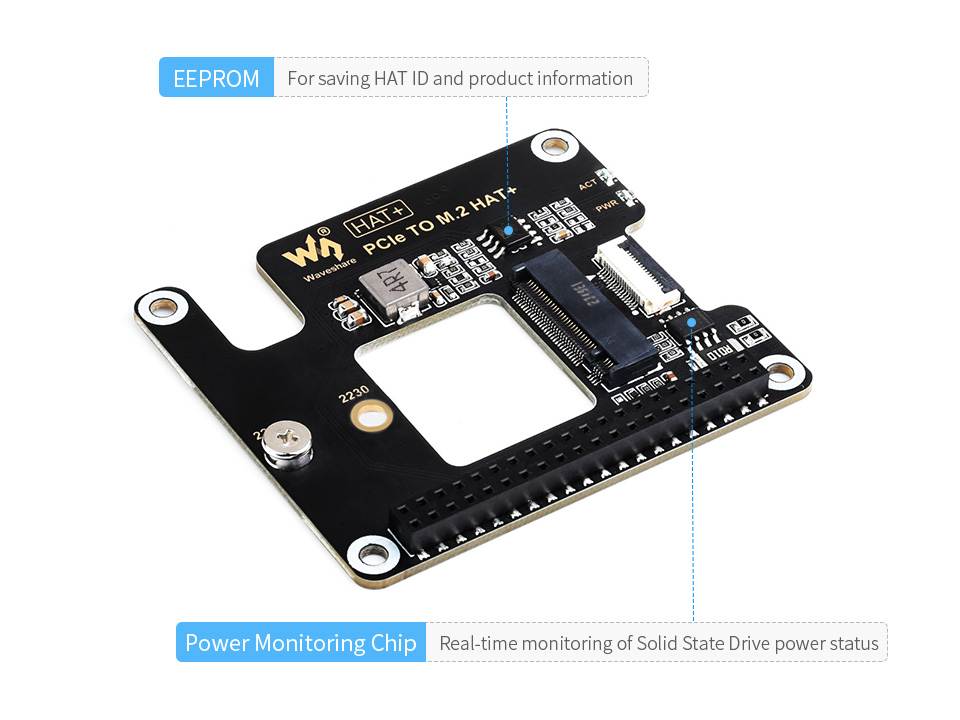
Onboard Power Monitoring Chip And EEPROM

Real-Time Monitoring Of Solid State Drive Power Status For More Stable Operation


Reserved Airflow Vent For Cooling Fan

Better Cooling Effect For Pi5 And Solid State Drive

* for reference only, the Raspberry Pi 5cooling fan and Solid State Drive are not included


How To Install

* for reference only, please refer to the Package Content for detailed part list


Outline Dimensions


Resources

Wiki: www.waveshare.com/wiki/PCIe_TO_M.2_HAT+


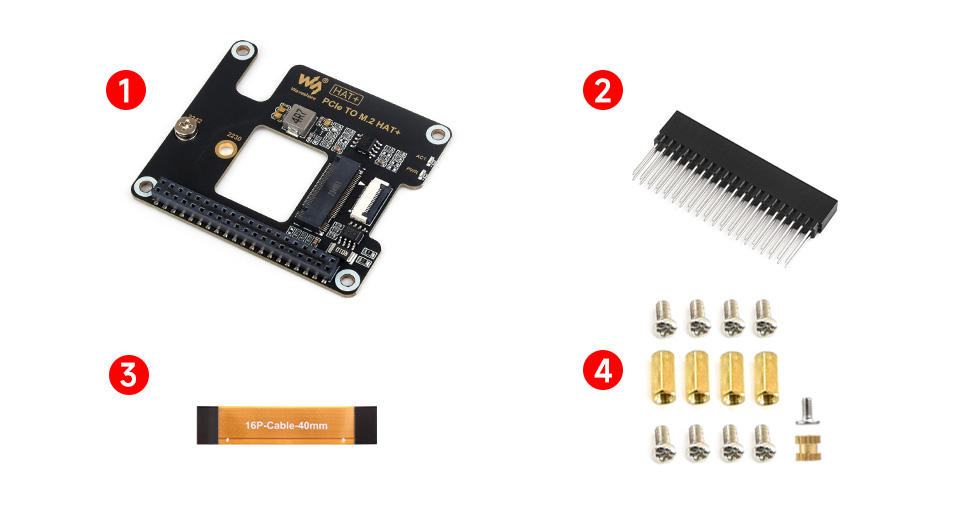
Packing List

Weight: 0.022 kg

  1. PCIe TO M.2 HAT+ x1
  2. 2*20 Pin header x1
  3. 16P-Cable-40mm x1
  4. Standoff pack x1
Is this adapter compatible with Raspberry Pi 5 and can I boot from an NVMe SSD?
Yes, it is designed for Raspberry Pi 5 and supports booting the Pi 5 from a solid state drive using the NVMe protocol.
What sizes of M.2 SSDs are supported and which NVMe modes are available?
It supports 2230 and 2242 size M.2 SSDs and works with Gen 2 and Gen 3 NVMe modes.
What is included in the package and what is not included?
The packing list includes the PCIe to M.2 hat board, a 2x20 pin header, a 16 pin cable, and a standoff pack. The Raspberry Pi 5, cooling fan, and SSD are not included.
How can I monitor the drive status and ensure stable operation?
The board has dual LED indicators for status, a power monitoring chip, and an EEPROM for real time monitoring of SSD power status.
Where can I find installation guidance and part list details?
Installation details are provided for reference. Please refer to the package contents for the exact part list and consult the official Waveshare wiki for guidance.
Welcome to the discussion thread for PCIe To M.2 Adapter for Raspberry Pi 5
Feel free to ask questions, share tips or report issues.
Add Post

For more discussion Click Here

Fill out the form below and our team will get back to you with bulk pricing.

Description
Ask AI about this product

PCIe To M.2 Adapter For Raspberry Pi 5

Designed for Raspberry Pi 5

Adapter For NVMe Protocol M.2 Solid State Drive, High-Speed Reading/Writing
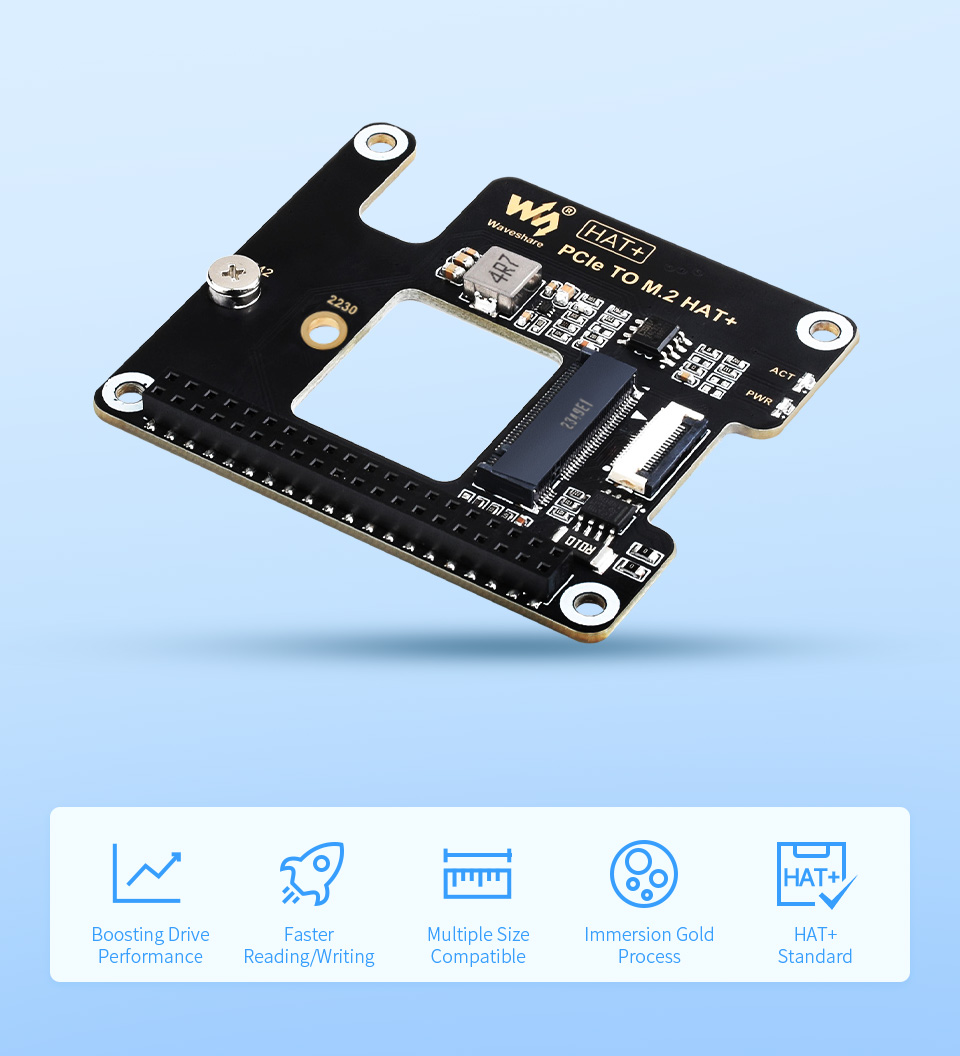
 

Connecting To PI5 Via 16PIN Cable

 Based On 16PIN PCIe Interface Of Raspberry Pi 5 
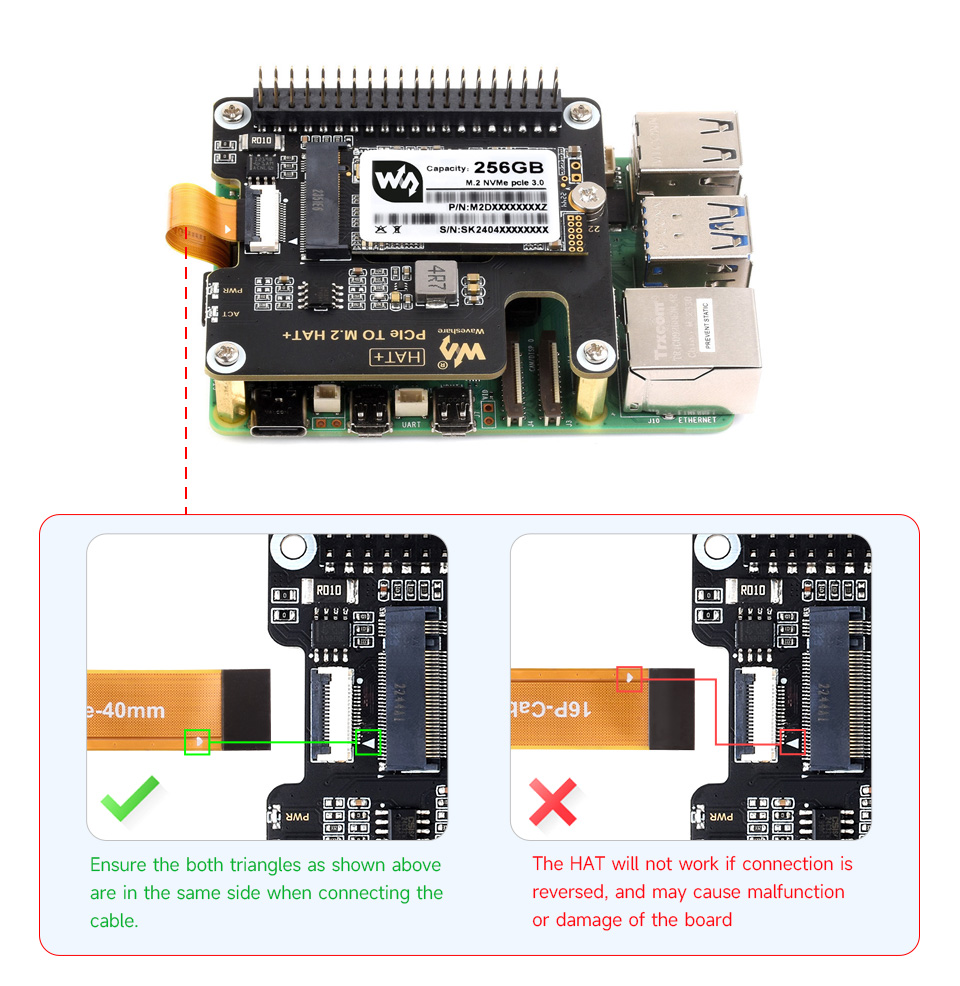
* for reference only, please refer to the Package Content for detailed part list


NVMe Drive Protocol Support

Compatible With 2230/2242 Size M.2 Solid State Drive
Supports Gen2 And Gen3 Modes, Supports Booting PI5 From Solid State Drive
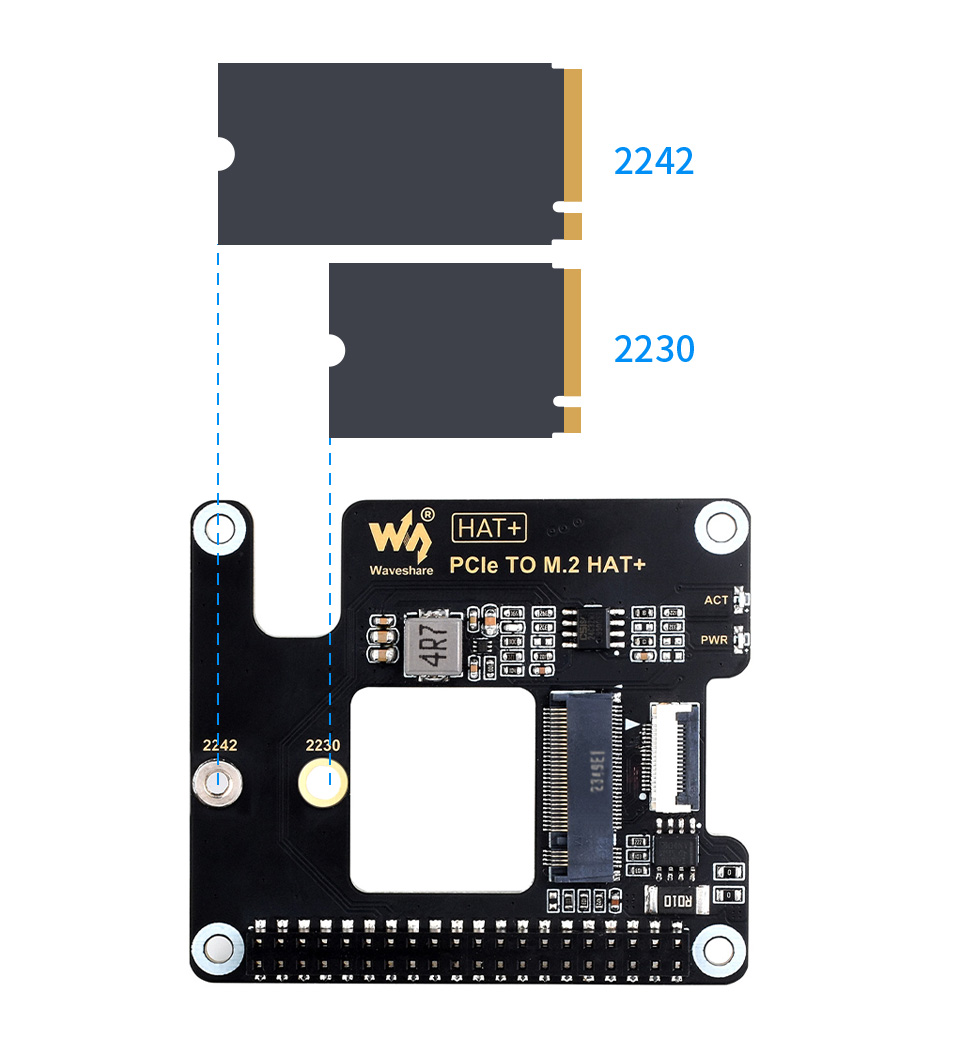
 

Onboard Dual LED Indicators

Easy To Monitor The Working Status


Onboard Power Monitoring Chip And EEPROM

Real-Time Monitoring Of Solid State Drive Power Status For More Stable Operation
 

Reserved Airflow Vent For Cooling Fan

Better Cooling Effect For Pi5 And Solid State Drive
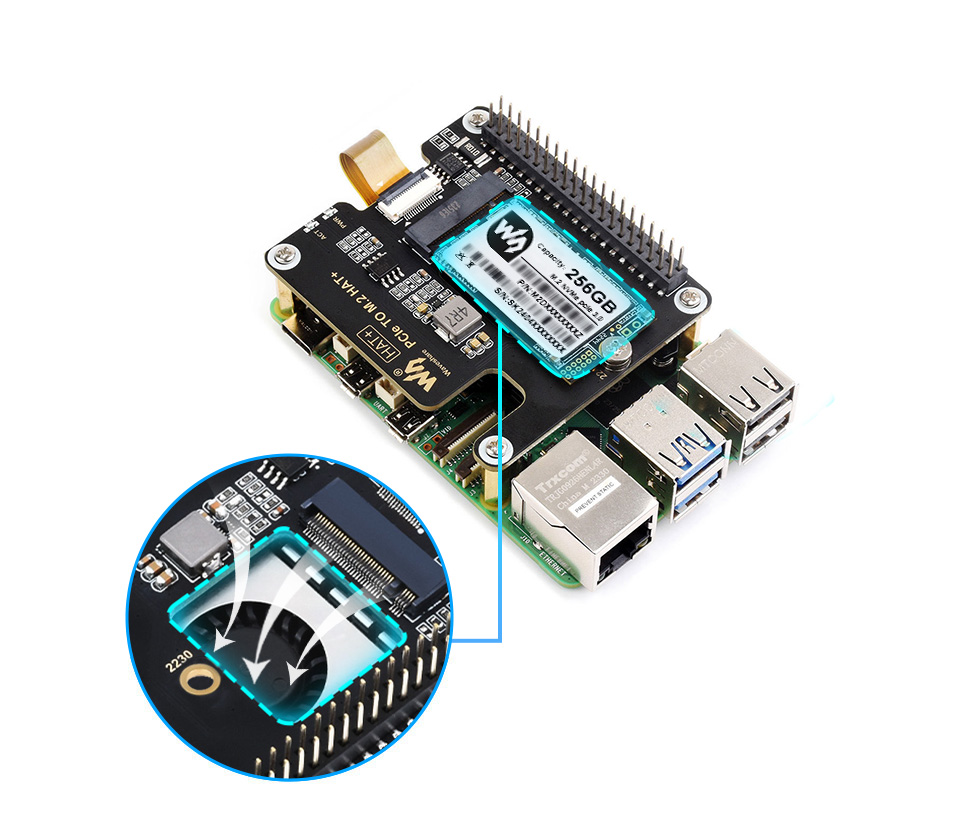
* for reference only, the Raspberry Pi 5cooling fan and Solid State Drive are not included
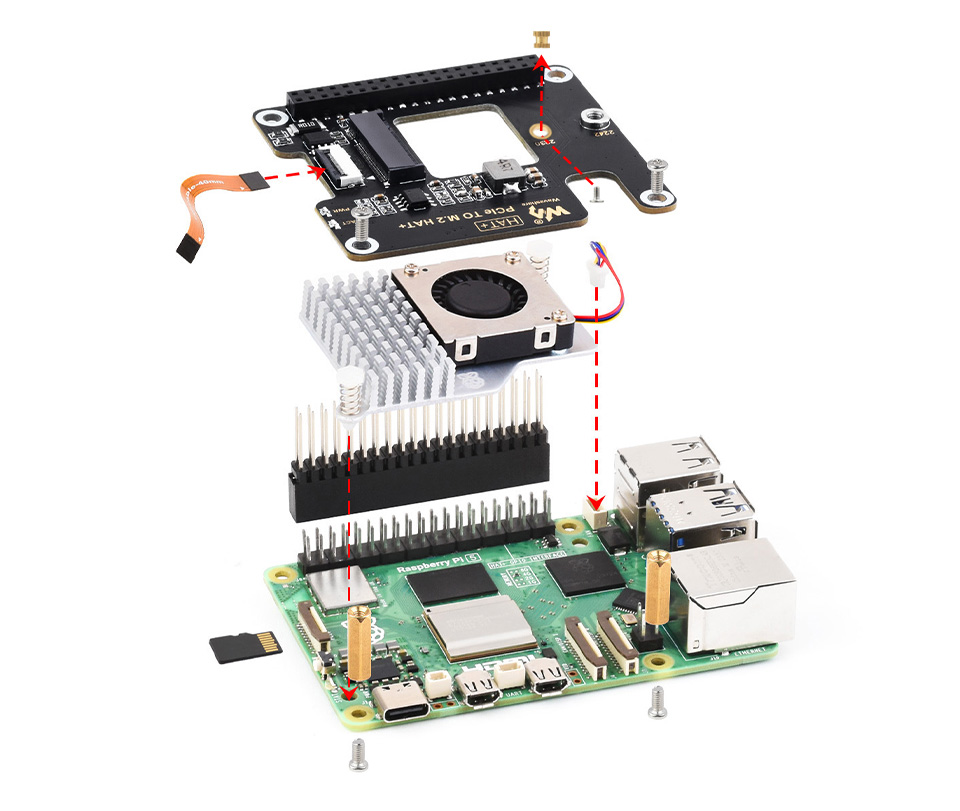
 

How To Install

* for reference only, please refer to the Package Content for detailed part list
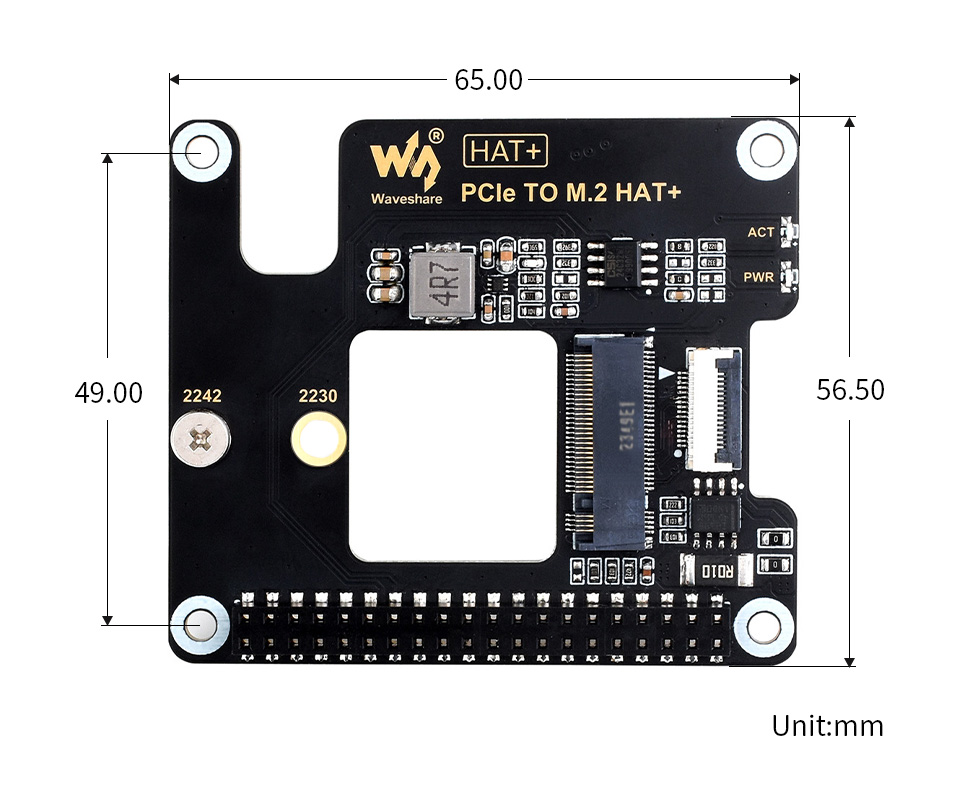
 

Outline Dimensions


Resources

Wiki: www.waveshare.com/wiki/PCIe_TO_M.2_HAT+


Packing List

Weight: 0.022 kg

  1. PCIe TO M.2 HAT+ x1
  2. 2*20 Pin header x1
  3. 16P-Cable-40mm x1
  4. Standoff pack x1
FAQ
Is this adapter compatible with Raspberry Pi 5 and can I boot from an NVMe SSD?
Yes, it is designed for Raspberry Pi 5 and supports booting the Pi 5 from a solid state drive using the NVMe protocol.
What sizes of M.2 SSDs are supported and which NVMe modes are available?
It supports 2230 and 2242 size M.2 SSDs and works with Gen 2 and Gen 3 NVMe modes.
What is included in the package and what is not included?
The packing list includes the PCIe to M.2 hat board, a 2x20 pin header, a 16 pin cable, and a standoff pack. The Raspberry Pi 5, cooling fan, and SSD are not included.
How can I monitor the drive status and ensure stable operation?
The board has dual LED indicators for status, a power monitoring chip, and an EEPROM for real time monitoring of SSD power status.
Where can I find installation guidance and part list details?
Installation details are provided for reference. Please refer to the package contents for the exact part list and consult the official Waveshare wiki for guidance.
Reviews
Forum
Welcome to the discussion thread for PCIe To M.2 Adapter for Raspberry Pi 5
Feel free to ask questions, share tips or report issues.
Add Post

For more discussion Click Here

Similar Products
Bulk Order

Fill out the form below and our team will get back to you with bulk pricing.

Custom Requirements?

Meet with our team

Scheduling widget