Best seller

ThinkRobotics

ST-LINK/V2 (mini), STM Programmer & Debugger

SKU: WVSH0143

₹ 999.99

Out of stock

📦 Min order 1
Chat with us on WhatsApp We reply quickly! Contact Us
This is a pre-order item. We'll ship it as soon as it's back in stock.
ST-LINK/V2 (mini), STM Programmer & Debugger₹ 999.99
Ask AI about this product

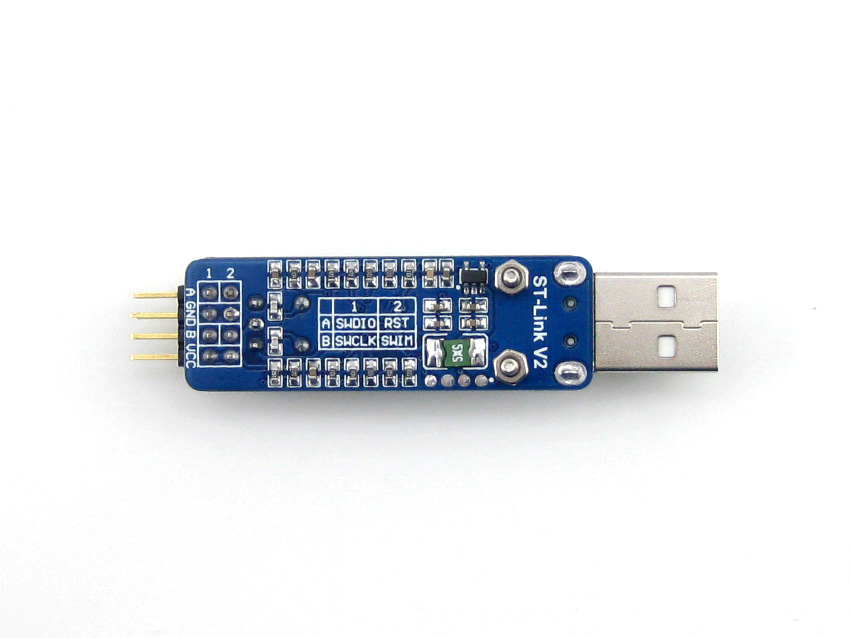
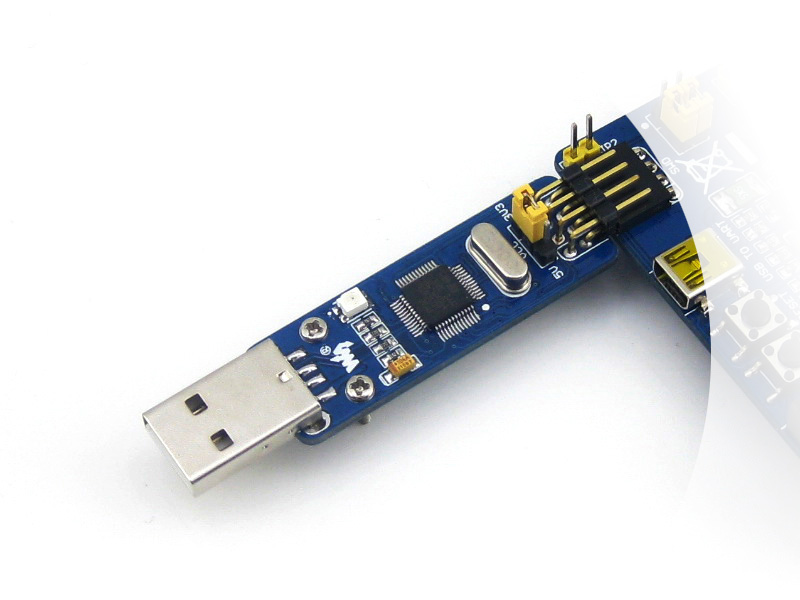
Mini ST-LINK/V2 on a small single board, an extreme low cost solution for in-circuit debugger/programmer for STM8 and STM32.

Features

  • Onboard 500mA self-recovery fuse to avoid harming by short circuit
  • Dual voltage output (3.3V/5V), easy for debugging/programming
  • Standard USB interface for direct connection to PC
  • Debugging/Programing performance
    • Debugging : run at full-speed, single-stepped, breakpoints, viewing variables and registers, etc.
    • Programming : supports FLASH ROM, EEPROM, AFR, etc.
    • USB2.0 combined with SWIM/SWD interfaces : quick response for debugging & fast speed for programming
  • Upgradable firmware
    • The firmware is upgradable to support more devices in the future
    • Automatically upgraded
  • Supported software
    • ST-LINK Utility v2.0 (or higher ver.)
    • STVD Version 4.2.1 (or higher ver.)
    • STVP Version 3.2.3 (or higher ver.)
    • IAR EWARM Revision v6.20 (or higher ver.)
    • IAR EWSTM8 Revision v1.30 (or higher ver.)
    • KEIL RVMDK Revision v4.21 (or higher ver.)
    • ATOLLIC
    • TASKING
  • Supported devices
    • All the STM8 devices with SWIM interface
    • All the STM32 devices with SWD interface

Photos


ST-LINK/V2 (mini) Vs ST-LINK/V2 Vs ST-LINK

COMPARE ST-LINK/V2 (MINI) ST-LINK/V2 ST-LINK REMARKS
SWD voltage range 1.65V - 3.6V 1.65V - 3.6V 3V - 3.6V ST-LINK/V2 and ST-LINK/V2 (mini) support STM32 low voltage devices
SWIM voltage range 1.65V - 5.5V 1.65V - 5.5V 1.65V - 5.5V  
Supports SWV NO YES NO For the moment, only STM32 supports SWV while STM8 doesn't
Debug interfaces 2 2 1 ST-LINK/V2 and ST-LINK/V2 (mini) support STM8/STM32 with separated interfaces
LED indicator Dual color LED Dual color LED Red LED Dual color LED allows indicating more status
Fuse YES NO NO Fuse for avoid harming by short circuit

Connecting with PC

While connecting the ST-LINK/V2 (mini) to the computer through USB interface, the USB driver is required and should be installed correctly first.

Click on the link to download : ST-LINK/V2 USB driver for Windows 7, Vista and XP

Connection with STM8/STM32 applications

The ST-LINK/V2 (mini) should be connected to the STM8 application via the SWIM interface.

DEBUGGER PIN TARGET BOARD PIN DESCRIPTION
VCC MCU VCC STM8 VCC
SWIM MCU SWIM STM8 SWIM PIN
GND GND STM8 GND
RST MCU RESET STM8 RESET PIN

The ST-LINK/V2 (mini) should be connected to the STM32 application via the SWD interface.

DEBUGGER PIN TARGET BOARD PIN DESCRIPTION
VCC MCU VCC STM32 VCC
SWDIO MCU SWDIO STM32 SWD SWDIO
GND GND STM32 GND
SWCLK MCU SWCLK STM32 SWD SWCLK

Please note that the VCC and GND should be connected correctly to avoid any harm to the ST-LINK/V2 (mini).

How do I connect the ST-LINK V2 mini to an STM8 or STM32 target?
For STM8 devices, connect via the SWIM interface using VCC, GND, and SWIM pins as listed; for STM32 devices, connect via the SWD interface using SWDIO and SWCLK along with VCC and GND. Ensure VCC and GND are connected correctly to avoid harming the device.
Is the firmware upgradeable and which tools are supported?
Yes, the firmware is upgradeable to support more devices in the future. It supports ST-LINK Utility v2.0 or higher, STVD 4.2.1 or higher, STVP 3.2.3 or higher, IAR EWARM v6.20 or higher, IAR EWSTM8 v1.30 or higher, KEIL RVMDK v4.21 or higher, and ATOLLIC TASKING.
What devices and interfaces are supported by this mini ST-LINK?
It supports all STM8 devices with SWIM and all STM32 devices with SWD. The SWD voltage range is 1.65V to 3.6V and the SWIM voltage range is 1.65V to 5.5V.
What safety features exist and how should I power the device?
The unit includes a 500 mA self recovery fuse to protect against short circuits, and you should ensure VCC and GND are connected correctly to avoid harm to the ST-LINK/V2 mini.
What software and drivers are required to use the device with a PC?
When connecting to a PC, install the USB driver first. It supports ST-LINK Utility v2.0 or higher and is compatible with STVD, STVP, IAR EWARM, IAR EWSTM8, KEIL RVMDK, and ATOLLIC TASKING.
Welcome to the discussion thread for ST-LINK/V2 (mini), STM Programmer & Debugger
Feel free to ask questions, share tips or report issues.

Fill out the form below and our team will get back to you with bulk pricing.

Description
Ask AI about this product

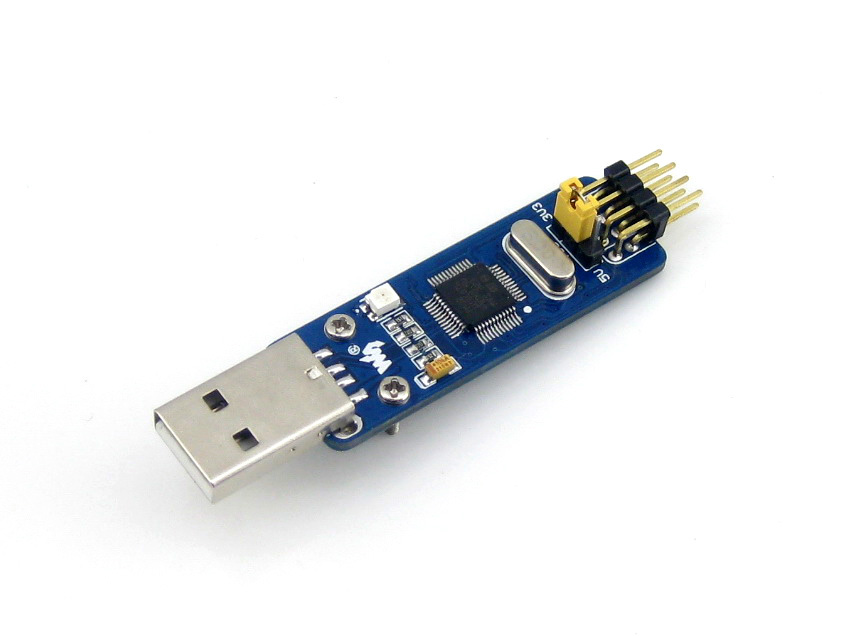
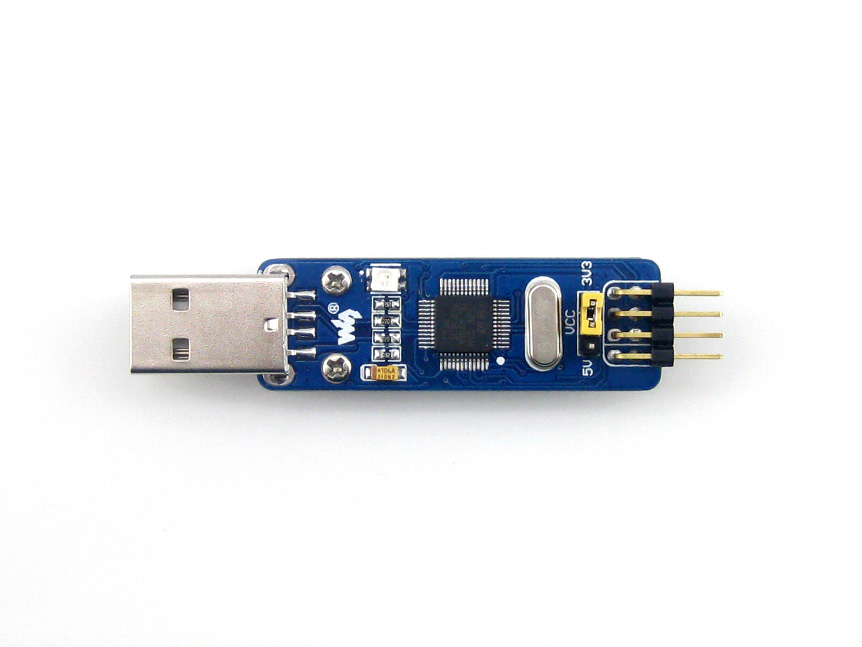
Mini ST-LINK/V2 on a small single board, an extreme low cost solution for in-circuit debugger/programmer for STM8 and STM32.
Features

  • Onboard 500mA self-recovery fuse to avoid harming by short circuit
  • Dual voltage output (3.3V/5V), easy for debugging/programming
  • Standard USB interface for direct connection to PC
  • Debugging/Programing performance
    • Debugging : run at full-speed, single-stepped, breakpoints, viewing variables and registers, etc.
    • Programming : supports FLASH ROM, EEPROM, AFR, etc.
    • USB2.0 combined with SWIM/SWD interfaces : quick response for debugging & fast speed for programming
  • Upgradable firmware
    • The firmware is upgradable to support more devices in the future
    • Automatically upgraded
  • Supported software
    • ST-LINK Utility v2.0 (or higher ver.)
    • STVD Version 4.2.1 (or higher ver.)
    • STVP Version 3.2.3 (or higher ver.)
    • IAR EWARM Revision v6.20 (or higher ver.)
    • IAR EWSTM8 Revision v1.30 (or higher ver.)
    • KEIL RVMDK Revision v4.21 (or higher ver.)
    • ATOLLIC
    • TASKING
  • Supported devices
    • All the STM8 devices with SWIM interface
    • All the STM32 devices with SWD interface

Photos


ST-LINK/V2 (mini) Vs ST-LINK/V2 Vs ST-LINK

COMPARE ST-LINK/V2 (MINI) ST-LINK/V2 ST-LINK REMARKS
SWD voltage range 1.65V - 3.6V 1.65V - 3.6V 3V - 3.6V ST-LINK/V2 and ST-LINK/V2 (mini) support STM32 low voltage devices
SWIM voltage range 1.65V - 5.5V 1.65V - 5.5V 1.65V - 5.5V  
Supports SWV NO YES NO For the moment, only STM32 supports SWV while STM8 doesn't
Debug interfaces 2 2 1 ST-LINK/V2 and ST-LINK/V2 (mini) support STM8/STM32 with separated interfaces
LED indicator Dual color LED Dual color LED Red LED Dual color LED allows indicating more status
Fuse YES NO NO Fuse for avoid harming by short circuit

Connecting with PC

While connecting the ST-LINK/V2 (mini) to the computer through USB interface, the USB driver is required and should be installed correctly first.

Click on the link to download : ST-LINK/V2 USB driver for Windows 7, Vista and XP

Connection with STM8/STM32 applications

The ST-LINK/V2 (mini) should be connected to the STM8 application via the SWIM interface.

DEBUGGER PIN TARGET BOARD PIN DESCRIPTION
VCC MCU VCC STM8 VCC
SWIM MCU SWIM STM8 SWIM PIN
GND GND STM8 GND
RST MCU RESET STM8 RESET PIN

The ST-LINK/V2 (mini) should be connected to the STM32 application via the SWD interface.

DEBUGGER PIN TARGET BOARD PIN DESCRIPTION
VCC MCU VCC STM32 VCC
SWDIO MCU SWDIO STM32 SWD SWDIO
GND GND STM32 GND
SWCLK MCU SWCLK STM32 SWD SWCLK

Please note that the VCC and GND should be connected correctly to avoid any harm to the ST-LINK/V2 (mini).

FAQ
How do I connect the ST-LINK V2 mini to an STM8 or STM32 target?
For STM8 devices, connect via the SWIM interface using VCC, GND, and SWIM pins as listed; for STM32 devices, connect via the SWD interface using SWDIO and SWCLK along with VCC and GND. Ensure VCC and GND are connected correctly to avoid harming the device.
Is the firmware upgradeable and which tools are supported?
Yes, the firmware is upgradeable to support more devices in the future. It supports ST-LINK Utility v2.0 or higher, STVD 4.2.1 or higher, STVP 3.2.3 or higher, IAR EWARM v6.20 or higher, IAR EWSTM8 v1.30 or higher, KEIL RVMDK v4.21 or higher, and ATOLLIC TASKING.
What devices and interfaces are supported by this mini ST-LINK?
It supports all STM8 devices with SWIM and all STM32 devices with SWD. The SWD voltage range is 1.65V to 3.6V and the SWIM voltage range is 1.65V to 5.5V.
What safety features exist and how should I power the device?
The unit includes a 500 mA self recovery fuse to protect against short circuits, and you should ensure VCC and GND are connected correctly to avoid harm to the ST-LINK/V2 mini.
What software and drivers are required to use the device with a PC?
When connecting to a PC, install the USB driver first. It supports ST-LINK Utility v2.0 or higher and is compatible with STVD, STVP, IAR EWARM, IAR EWSTM8, KEIL RVMDK, and ATOLLIC TASKING.
Reviews
Forum
Welcome to the discussion thread for ST-LINK/V2 (mini), STM Programmer & Debugger
Feel free to ask questions, share tips or report issues.
Similar Products
Bulk Order

Fill out the form below and our team will get back to you with bulk pricing.

Custom Requirements?

Meet with our team