Best seller

Waveshare

PCIe to M.2 E-Key HAT (D) for Raspberry Pi 5 - NGFF M.2 E-Key Wireless NIC

SKU: WVSH0624

₹ 799.99

In stock | Ready to ship

⚠ Only a few left in stock. Order soon.
ā± High demand right now.
šŸ“¦ Min order 1
Chat with us on WhatsApp We reply quickly! Contact Us
PCIe to M.2 E-Key HAT (D) for Raspberry Pi 5 - NGFF M.2 E-Key Wireless NIC₹ 799.99
Ask AI about this product

Details

PCIe To M.2 E KEY HAT (D) for Raspberry Pi 5, Compatible With Various NGFF (M.2 E KEY) Wireless NIC, Supports USB Bluetooth Connection
PCIe To M.2 E KEY HAT (D)

Designed for Raspberry Pi 5

Compatible With Various NGFF (M.2 E KEY) Wireless NIC

PCIe To M.2 E KEY HAT for Raspberry Pi 5, front view and features

Connecting to PI5 via 16PIN Cable

Based on 16PIN PCIe Interface of Raspberry Pi 5

PCIe To M.2 E KEY HAT for Raspberry Pi 5, connecting to PI5 via 16PIN cable

* for reference only, please refer to the Package Content for detailed part list


Compatible with wireless NIC

suitable for A/E KEY and E KEY

PCIe To M.2 E KEY HAT for Raspberry Pi 5, wireless NIC support

Various wireless NIC support

Supports the following modules, with more compatible modules coming soon

Model
RTL8822CE

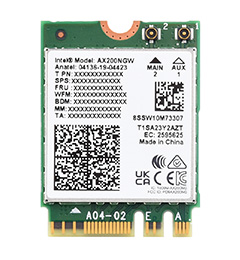
AX200

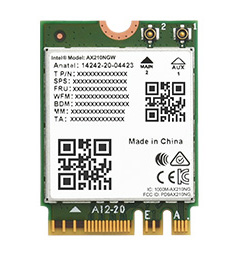
AX210

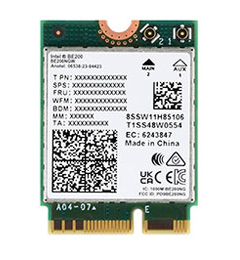
BE200
Wi-Fi Version Wi-Fi 5 Wi-Fi 6 Wi-Fi 6E Wi-Fi 7
Wi-Fi Band 2.4GHz 5GHz 2.4GHz 5GHz 2.4GHz 5GHz 6GHz 2.4GHz 5GHz 6GHz
Wi-Fi Rate 300Mbps 867Mbps 574Mbps 2400Mbps 574Mbps 2400Mbps 2400Mbps 574Mbps 2400Mbps 5800Mbps
Interface NGFF (M.2 A/E Key) NGFF (M.2 E Key)
Bluetooth Version 5.0 5.2 5.3 5.4
Technical Support MU-MIMO
Antenna Connector IPEX 4 Connector
System Support Linux, Windows 10 / 11
Dimensions 22.0 Ɨ 30.0 Ɨ 2.4mm

Supports USB Bluetooth connection

Supports inputting Bluetooth signal into the Raspberry Pi via USB adapter cable

(* this function is only available after connecting the Wireless NIC module)

PCIe To M.2 E KEY HAT for Raspberry Pi 5, supports USB Bluetooth connection

how to install
PCIe To M.2 E KEY HAT for Raspberry Pi 5, how to install

Outline dimensions
PCIe To M.2 E KEY HAT for Raspberry Pi 5, outline dimensions
PCIe adapter board selection
Product Model Extended Interface PCIe Version mounting solution Power monitoring features

PCIe TO M.2 Board (D)
M.2_M_KEY PCIe Ɨ1 Gen2/3 on top NVME, 2280

PCIe TO 2-CH M.2 HAT+ (B)
M.2_M_KEY Ɨ 2 PCIe Ɨ1 Gen2 HAT+ √ 2-ch NVME, 2280

PCIe TO 2-CH M.2 HAT+
M.2_M_KEY Ɨ 2 PCIe Ɨ1 Gen2 HAT+ √ 2-ch NVME, 2242

PCIE TO 2-CH 2.5G ETH HAT+
2.5G ETH Ɨ 2 PCIe Ɨ1 Gen2 HAT+ √ 2.5G ETH Ɨ 2

PCIe TO M.2 HAT+
M.2_M_KEY PCIe Ɨ1 Gen2/3 HAT+ √ NVME, 2242

PCIe TO M.2 MINI
M.2_M_KEY PCIe Ɨ1 Gen2/3 on top NVME, 2242, compact size

PCIe TO M.2 Board (C)
M.2_M_KEY PCIe Ɨ1 Gen2/3 on side NVME, 2280, side-mounting

PCIe TO Gigabit ETH Board (C)
Gigabit ETH PCIe Ɨ1 Gen2 on side Gigabit ETH port, side-mounting

PCIe TO 2.5G ETH Board (C)
2.5G ETH PCIe Ɨ1 Gen2 on side 2.5G ETH port, side-mounting

PCIe TO M.2 USB HAT+
M.2_M_KEY, USB3.2 Ɨ 4 PCIe Ɨ1 Gen2 on top √ NVME, 2280, expanded USB3.2 ports

PCIe TO 4G/5G M.2 USB3.2 HAT+
M.2_B_KEY, USB3.2 Ɨ 3 PCIe Ɨ1 Gen2 HAT+ √ supports 4G/5G modules, expanded USB3.2 ports

PCIe TO USB 3.2 Gen1 Board (C)
USB3.2 Ɨ 4 PCIe Ɨ1 Gen2 on side expanded USB3.2 ports, side-mounting

PCIe TO USB 3.2 Gen1 HAT+
USB3.2 Ɨ 4 PCIe Ɨ1 Gen2 HAT+ √ expanded USB3.2 ports

PCIe TO Gigabit ETH USB3.2 HAT+
USB3.2 Ɨ 3, Gigabit ETH PCIe Ɨ1 Gen2 HAT+ √ expanded USB3.2 ports and Gigabit ETH port

PCIe TO MiniPCIe GbE USB3.2 HAT+
USB3.2 Ɨ 2, MiniPCIe, Gigabit ETH PCIe Ɨ1 Gen2 HAT+ √ expanded MiniPCIe 4G module slot, USB3.2 ports and Gigabit ETH port

RM520N-GL 5G HAT+
M.2_B_KEY PCIe Ɨ1 Gen2 HAT+ √ access to 5G networking via PCIe interface, multiple 5G modules compatible

PoE M.2 HAT+
M.2_M_KEY PCIe Ɨ1 Gen2/3 HAT+ with PoE function, NVME, 2242

PoE M.2 HAT+ (B)
M.2_M_KEY PCIe Ɨ1 Gen2/3 HAT+ with PoE function, NVME, 2280

PoE M.2 HAT+ (C)
M.2_M_KEY PCIe Ɨ1 Gen2/3 HAT+

PoE M.2 E KEY HAT+
M.2_E_KEY PCIe Ɨ1 Gen2/3 HAT+ with PoE function, Wi-Fi, Bluetooth, 2230

PCIe TO ETH M.2 HAT+
M.2_M_KEY, Gigabit ETH PCIe Ɨ1 Gen2 HAT+ √ with Gigabit ETH port, NVME, 2280

PCIE TO M.2 E KEY HAT+
M.2_E_KEY PCIe Ɨ1 Gen2/3 HAT+ Wi-Fi, Bluetooth, M.2_E_KEY, 2230

PCIE TO M.2 E KEY HAT+ (D)
M.2_E_KEY PCIe Ɨ1 Gen2/3 on top

PCIe TO MiniPCIe HAT+
MiniPCIe PCIe Ɨ1 Gen2 HAT+ Wi-Fi, Bluetooth, MiniPCIe

PCIe TO PCIe x1 Board (C)
PCIe Ɨ1 PCIe Ɨ1 Gen2/3 on side Compatible with PCIe x1, x4, x8, and x16 devices

PCIe TO 2-CH PCIe HAT
PCIe 16PIN x2 PCIe Ɨ1 Gen2 HAT Expands 2-Ch PCIe FFC connectors

PCIe TO 4-CH PCIe HAT
PCIe 16PIN x4 PCIe Ɨ1 Gen2 HAT Expands 4-Ch PCIe FFC connectors

PCIE TO 4-CH NVME Board (B)
M.2_M_KEY Ɨ 4 PCIe Ɨ1 Gen2 on bottom √ 4-ch NVME, 2280, onboard DC power jack

PCIe TO 2-CH SATA HAT+
SATA Ɨ 2 PCIe Ɨ1 Gen2 on top 2-ch SATA interfaces
PCIE TO 4-CH Gigabit ETH Board (B)
PCIE TO 4-CH 2.5G ETH Board (B)
2.5G ETH Ɨ 4 PCIe Ɨ1 Gen2 on bottom √ 4-ch ETH ports
PCIE TO 4-CH Gigabit ETH Board (B)
Gigabit ETH Ɨ 4 PCIe Ɨ1 Gen2 on bottom √ 4-ch ETH ports

Weight: 0.119 kg

Quick Overview

  1. PCIE TO M.2 E KEY HAT+ (D) x1
  2. USB Type-A male port to SH1.0 2PIN cable x1
  3. 16P-Cable-40mm x1
  4. Screws pack x1
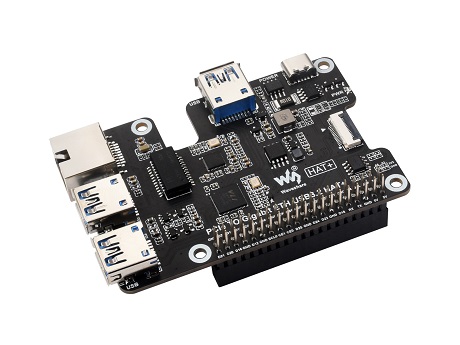
1 PCIE TO M.2 E KEY HAT+ (D)
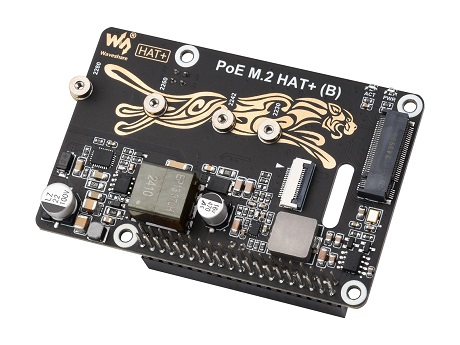
2 PCIE TO M.2 E KEY HAT+ (D)
3 PCIE TO M.2 E KEY HAT+ (D)
4 PCIE TO M.2 E KEY HAT+ (D)
What is the main purpose of this adapter?
It is a PCIe to M.2 E KEY HAT designed for Raspberry Pi 5 that lets you add an NGFF M.2 E KEY wireless NIC via PCIe and it supports USB Bluetooth connections.
Which wireless NIC models are supported?
The module supports NGFF M.2 E KEY wireless NICs, including RTL8822CE, with more compatible modules coming soon.
How do I connect it to the Raspberry Pi 5?
Connection is made through the 16 PIN PCIe interface on the Pi 5 using the included 16 PIN cable.
Is it compatible with A KEY and E KEY NICs?
Yes, it is suitable for A KEY and E KEY wireless NICs.
Where can I find the exact package contents?
The product page notes to refer to the Package Content for the detailed part list.
Welcome to the discussion thread for PCIe to M.2 E-Key HAT (D) for Raspberry Pi 5 - NGFF M.2 E-Key Wireless NIC
Feel free to ask questions, share tips or report issues.
Add Post

For more discussion Click Here

Fill out the form below and our team will get back to you with bulk pricing.

Description
Ask AI about this product

Details

PCIe To M.2 E KEY HAT (D) for Raspberry Pi 5, Compatible With Various NGFF (M.2 E KEY) Wireless NIC, Supports USB Bluetooth Connection
PCIe To M.2 E KEY HAT (D)

Designed for Raspberry Pi 5

Compatible With Various NGFF (M.2 E KEY) Wireless NIC

PCIe To M.2 E KEY HAT for Raspberry Pi 5, front view and features

Connecting to PI5 via 16PIN Cable

Based on 16PIN PCIe Interface of Raspberry Pi 5

PCIe To M.2 E KEY HAT for Raspberry Pi 5, connecting to PI5 via 16PIN cable

* for reference only, please refer to the Package Content for detailed part list


Compatible with wireless NIC

suitable for A/E KEY and E KEY

PCIe To M.2 E KEY HAT for Raspberry Pi 5, wireless NIC support

Various wireless NIC support

Supports the following modules, with more compatible modules coming soon

Model
RTL8822CE

AX200

AX210

BE200
Wi-Fi Version Wi-Fi 5 Wi-Fi 6 Wi-Fi 6E Wi-Fi 7
Wi-Fi Band 2.4GHz 5GHz 2.4GHz 5GHz 2.4GHz 5GHz 6GHz 2.4GHz 5GHz 6GHz
Wi-Fi Rate 300Mbps 867Mbps 574Mbps 2400Mbps 574Mbps 2400Mbps 2400Mbps 574Mbps 2400Mbps 5800Mbps
Interface NGFF (M.2 A/E Key) NGFF (M.2 E Key)
Bluetooth Version 5.0 5.2 5.3 5.4
Technical Support MU-MIMO
Antenna Connector IPEX 4 Connector
System Support Linux, Windows 10 / 11
Dimensions 22.0 Ɨ 30.0 Ɨ 2.4mm

Supports USB Bluetooth connection

Supports inputting Bluetooth signal into the Raspberry Pi via USB adapter cable

(* this function is only available after connecting the Wireless NIC module)

PCIe To M.2 E KEY HAT for Raspberry Pi 5, supports USB Bluetooth connection

how to install
PCIe To M.2 E KEY HAT for Raspberry Pi 5, how to install

Outline dimensions
PCIe To M.2 E KEY HAT for Raspberry Pi 5, outline dimensions
PCIe adapter board selection
Product Model Extended Interface PCIe Version mounting solution Power monitoring features

PCIe TO M.2 Board (D)
M.2_M_KEY PCIe Ɨ1 Gen2/3 on top NVME, 2280

PCIe TO 2-CH M.2 HAT+ (B)
M.2_M_KEY Ɨ 2 PCIe Ɨ1 Gen2 HAT+ √ 2-ch NVME, 2280

PCIe TO 2-CH M.2 HAT+
M.2_M_KEY Ɨ 2 PCIe Ɨ1 Gen2 HAT+ √ 2-ch NVME, 2242

PCIE TO 2-CH 2.5G ETH HAT+
2.5G ETH Ɨ 2 PCIe Ɨ1 Gen2 HAT+ √ 2.5G ETH Ɨ 2

PCIe TO M.2 HAT+
M.2_M_KEY PCIe Ɨ1 Gen2/3 HAT+ √ NVME, 2242

PCIe TO M.2 MINI
M.2_M_KEY PCIe Ɨ1 Gen2/3 on top NVME, 2242, compact size

PCIe TO M.2 Board (C)
M.2_M_KEY PCIe Ɨ1 Gen2/3 on side NVME, 2280, side-mounting

PCIe TO Gigabit ETH Board (C)
Gigabit ETH PCIe Ɨ1 Gen2 on side Gigabit ETH port, side-mounting

PCIe TO 2.5G ETH Board (C)
2.5G ETH PCIe Ɨ1 Gen2 on side 2.5G ETH port, side-mounting

PCIe TO M.2 USB HAT+
M.2_M_KEY, USB3.2 Ɨ 4 PCIe Ɨ1 Gen2 on top √ NVME, 2280, expanded USB3.2 ports

PCIe TO 4G/5G M.2 USB3.2 HAT+
M.2_B_KEY, USB3.2 Ɨ 3 PCIe Ɨ1 Gen2 HAT+ √ supports 4G/5G modules, expanded USB3.2 ports

PCIe TO USB 3.2 Gen1 Board (C)
USB3.2 Ɨ 4 PCIe Ɨ1 Gen2 on side expanded USB3.2 ports, side-mounting

PCIe TO USB 3.2 Gen1 HAT+
USB3.2 Ɨ 4 PCIe Ɨ1 Gen2 HAT+ √ expanded USB3.2 ports

PCIe TO Gigabit ETH USB3.2 HAT+
USB3.2 Ɨ 3, Gigabit ETH PCIe Ɨ1 Gen2 HAT+ √ expanded USB3.2 ports and Gigabit ETH port

PCIe TO MiniPCIe GbE USB3.2 HAT+
USB3.2 Ɨ 2, MiniPCIe, Gigabit ETH PCIe Ɨ1 Gen2 HAT+ √ expanded MiniPCIe 4G module slot, USB3.2 ports and Gigabit ETH port

RM520N-GL 5G HAT+
M.2_B_KEY PCIe Ɨ1 Gen2 HAT+ √ access to 5G networking via PCIe interface, multiple 5G modules compatible

PoE M.2 HAT+
M.2_M_KEY PCIe Ɨ1 Gen2/3 HAT+ with PoE function, NVME, 2242

PoE M.2 HAT+ (B)
M.2_M_KEY PCIe Ɨ1 Gen2/3 HAT+ with PoE function, NVME, 2280

PoE M.2 HAT+ (C)
M.2_M_KEY PCIe Ɨ1 Gen2/3 HAT+

PoE M.2 E KEY HAT+
M.2_E_KEY PCIe Ɨ1 Gen2/3 HAT+ with PoE function, Wi-Fi, Bluetooth, 2230

PCIe TO ETH M.2 HAT+
M.2_M_KEY, Gigabit ETH PCIe Ɨ1 Gen2 HAT+ √ with Gigabit ETH port, NVME, 2280

PCIE TO M.2 E KEY HAT+
M.2_E_KEY PCIe Ɨ1 Gen2/3 HAT+ Wi-Fi, Bluetooth, M.2_E_KEY, 2230

PCIE TO M.2 E KEY HAT+ (D)
M.2_E_KEY PCIe Ɨ1 Gen2/3 on top

PCIe TO MiniPCIe HAT+
MiniPCIe PCIe Ɨ1 Gen2 HAT+ Wi-Fi, Bluetooth, MiniPCIe

PCIe TO PCIe x1 Board (C)
PCIe Ɨ1 PCIe Ɨ1 Gen2/3 on side Compatible with PCIe x1, x4, x8, and x16 devices

PCIe TO 2-CH PCIe HAT
PCIe 16PIN x2 PCIe Ɨ1 Gen2 HAT Expands 2-Ch PCIe FFC connectors

PCIe TO 4-CH PCIe HAT
PCIe 16PIN x4 PCIe Ɨ1 Gen2 HAT Expands 4-Ch PCIe FFC connectors

PCIE TO 4-CH NVME Board (B)
M.2_M_KEY Ɨ 4 PCIe Ɨ1 Gen2 on bottom √ 4-ch NVME, 2280, onboard DC power jack

PCIe TO 2-CH SATA HAT+
SATA Ɨ 2 PCIe Ɨ1 Gen2 on top 2-ch SATA interfaces
PCIE TO 4-CH Gigabit ETH Board (B)
PCIE TO 4-CH 2.5G ETH Board (B)
2.5G ETH Ɨ 4 PCIe Ɨ1 Gen2 on bottom √ 4-ch ETH ports
PCIE TO 4-CH Gigabit ETH Board (B)
Gigabit ETH Ɨ 4 PCIe Ɨ1 Gen2 on bottom √ 4-ch ETH ports

Weight: 0.119 kg

Quick Overview

  1. PCIE TO M.2 E KEY HAT+ (D) x1
  2. USB Type-A male port to SH1.0 2PIN cable x1
  3. 16P-Cable-40mm x1
  4. Screws pack x1
1 PCIE TO M.2 E KEY HAT+ (D)
2 PCIE TO M.2 E KEY HAT+ (D)
3 PCIE TO M.2 E KEY HAT+ (D)
4 PCIE TO M.2 E KEY HAT+ (D)
FAQ
What is the main purpose of this adapter?
It is a PCIe to M.2 E KEY HAT designed for Raspberry Pi 5 that lets you add an NGFF M.2 E KEY wireless NIC via PCIe and it supports USB Bluetooth connections.
Which wireless NIC models are supported?
The module supports NGFF M.2 E KEY wireless NICs, including RTL8822CE, with more compatible modules coming soon.
How do I connect it to the Raspberry Pi 5?
Connection is made through the 16 PIN PCIe interface on the Pi 5 using the included 16 PIN cable.
Is it compatible with A KEY and E KEY NICs?
Yes, it is suitable for A KEY and E KEY wireless NICs.
Where can I find the exact package contents?
The product page notes to refer to the Package Content for the detailed part list.
Reviews
Forum
Welcome to the discussion thread for PCIe to M.2 E-Key HAT (D) for Raspberry Pi 5 - NGFF M.2 E-Key Wireless NIC
Feel free to ask questions, share tips or report issues.
Add Post

For more discussion Click Here

Similar Products
Bulk Order

Fill out the form below and our team will get back to you with bulk pricing.

Custom Requirements?

Meet with our team